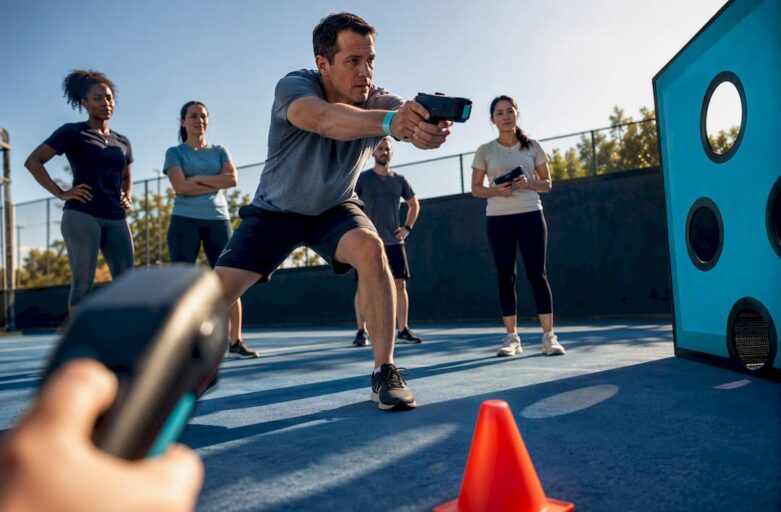
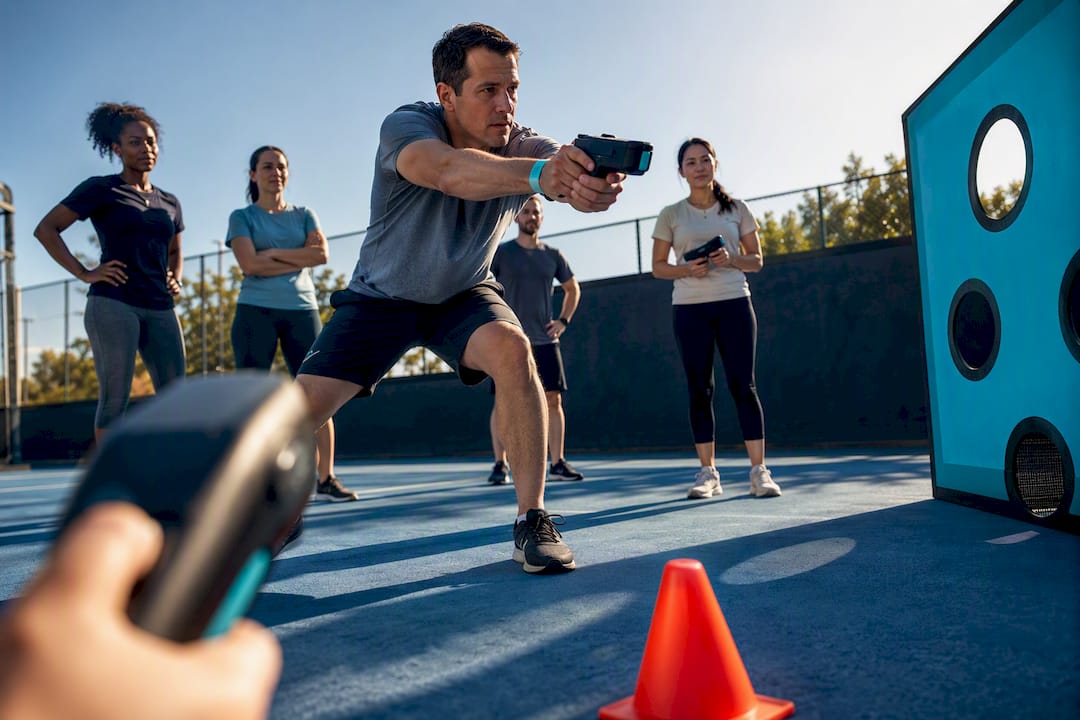
Run your company Olympics as a 90 to 120 minute multi-station event that mixes desk-based tasks, an accuracy or skill station, and a short team quiz. That combination covers every fitness level and personality type in the building, which is the whole point. The details, from game selection to scoring to safety, follow below.
TL;DR:
- Teams should consist of small, cross-departmental groups to create surprising skills and foster organic interactions during the event.
- A 90-minute event typically includes four stations with 15-minute rotations and a final 15-minute downtime for bonding and scoring reflection.
- Using simple, low-cost props from the office allows quick setup, with renting or borrowing equipment for electronic or high-tech stations like laser clay being cost-effective.
- A laser-clay accuracy station boosts engagement, eliminates safety concerns, and provides instant digital scoring that appeals to participants who avoid physical sports.
- Building accessibility and role clarity into the planning reduces disruptions, while including remote participation options keeps everyone involved and maintains momentum.
Table of Contents
- Company Olympics ideas grouped by type
- Planning checklist: teams, timing and scoring
- Sample schedule and the final point that builds team spirit
- Safety, accessibility and equipment essentials
- Materials and quick DIY builds for office props
- Why a laser-clay station earns its place on the roster
- What I’ve learned running company Olympics events
- Booking a ready-made accuracy station for your event
- Sources
- FAQ
Company Olympics ideas grouped by type
A good games list does one job: it lets you pick fast, based on your space, your team’s energy, and how much prep time you actually have. Games for Office Olympics points out that most of the best-loved office games need almost nothing beyond what’s already in the stationery cupboard. The groupings run from full-movement physical games through to desk-bound and mental challenges, so nobody spends the afternoon standing on the sidelines.
Physical and low-impact stations
- Desk chair relay. Teams race swivel chairs across a marked course using only their feet to push off, or use alternative walking relays when needed. Needs an open floor stretch and two chairs per lane; for anyone with back issues, swap to a walking relay carrying an object on a spoon instead.
- Balloon volleyball. A string or line of chairs divides the room; teams keep a balloon airborne for a set time. Works in almost any meeting room and needs zero budget; seated players can play from chairs the whole match.
- Cardboard hurdle sprint. Line up shoebox-sized hurdles for a short dash. Great outdoors or in a wide corridor; drop the hurdles entirely and time a walking course for mixed-mobility teams.
- Wastebasket basketball. Screwed-up paper, a bin, three attempts each. Needs a bin and paper only; move the throw line closer for wheelchair users or anyone with limited arm mobility.
Desk and low-impact challenges
- Rubber-band archery. Flick rubber bands at a taped target on a wall or box. Suits a desk area; seated the whole time, so it’s naturally inclusive.
- Paper aeroplane distance contest. Fold, throw, measure. One sheet of A4 per attempt; run it from a seated position for anyone who can’t stand for long stretches.
- Sticky-note tower build. Build the tallest free-standing tower from sticky notes in 90 seconds. Purely fine-motor, works at any desk, and rewards patience over strength.
- Spinning-pen accuracy. Spin a pen to land on a target zone drawn on paper. Zero setup cost and works from any chair.
Accuracy and skill stations
- Cornhole or bean-bag toss. Classic aim-and-score game; a folding board and bean bags cover it, and you can shorten the throw distance for accessibility.
- Mini-golf putting challenge. A putter, a few obstacles, one hole cut from a cup. Works indoors on carpet; raise the cup slightly for players using mobility aids.
- Nerf target shoot. Foam darts at a taped scoreboard. Cheap and safe, but always brief on safe-direction rules before starting.
- Tech-enabled laser accuracy station. A facilitator-run laser clay setup gives instant digital scoring and a seated shooting option, covered further down.
Mental and creative challenges
- Company trivia quiz. Ten questions on company history, industry facts, and pop culture. Runs anywhere, needs only a host with a printed sheet, and pulls in colleagues who skip the physical rounds entirely.
- Logo or slogan redesign sprint. Teams sketch a new tagline or mock logo for a fictional product in five minutes. Needs paper and pens; judged on creativity, not speed.
- Silent charades. One player acts, the team guesses, no talking allowed. Works for any group size and needs no equipment.
- Two truths and a lie (department edition). Each team submits three “facts” about their department; others guess the lie. Purely verbal, ideal as a filler round between physical stations.
- Emoji riddle relay. Decode a string of emojis into a film title, song, or company slogan. Print sheets in advance; runs in five minutes flat.
Hybrid and tech-enabled formats
- Prediction contest running alongside the main event. Teams guess outcomes across the day (who wins the quiz, the fastest relay time) and points accumulate separately, which keeps remote colleagues voting from home. Team building ideas for Olympic-themed events recommends pairing a lightweight backbone format like this with quizzes rather than relying on one big physical contest to hold everyone’s attention.
- Live scoreboard app or spreadsheet. Project a running leaderboard on a screen so every station’s result updates in real time, keeping energy up between rounds.
- Video challenge submissions. Hybrid teams record a 30-second clip completing a themed dare and submit it for group voting, a simple way to fold remote staff into the scoring.
Historic Office Olympics traditions, as documented by BBC Three Counties, leaned heavily on exactly this kind of adapted, low-cost game: swivel-chair races, rubber-band flicking, trash-can basketball. The format has stayed popular for a reason. It’s cheap, it’s daft, and it gets people talking to colleagues they’d otherwise never speak to.
Planning checklist: teams, timing and scoring
Get four things right and the rest of the day runs itself: team sizes, a timing template, a scoring method everyone understands, and named roles.
Team sizing. Aim for small teams of several people, mixed deliberately across departments rather than by existing friend groups. This is what actually generates the “I didn’t know Dave from Accounts could juggle” moments that make the event worth running. With 30 staff, that’s five to six teams; scale the station count so no team waits more than a few minutes between rotations.
Timing templates.
- 60-minute event: three stations, 15 minutes each, plus 10 minutes for a final gathering and quick awards.
- 90-minute event: four stations at 15 minutes, 5-minute rotations between them, and 15 minutes reserved at the end for downtime and scoring.
- 180-minute event: six to eight stations at 15 to 18 minutes, a 20-minute break with refreshments halfway through, and 20 to 25 minutes for the final gathering and awards.
Scoring rubric. Keep it simple: award 5 points for first place at a station, 3 for second, 1 for third, with a 2-point bonus task available at two or three stations to reward creativity or teamwork over raw skill. Guides on Olympic-themed employee engagement consistently warn against over-engineering the scoring; a format that’s simple to explain out loud in under a minute keeps participation high, while anything requiring a rulebook kills momentum fast.
Roles to assign in advance:
- Host — runs the schedule, announces rotations, keeps energy up on the microphone or with a whistle.
- Timekeeper — enforces station time limits so nobody overruns and squeezes the schedule.
- Scorer — logs results after each station and updates the visible leaderboard.
- Safety steward — checks equipment between rotations and flags any trip hazards or space issues.
Pro Tip: Print one A4 rule sheet per station and pin it up before the event starts. A one-page, readable rule sheet at each station is one of the simplest ways to cut disputes and keep every round moving.
Sample schedule and the final point that builds team spirit
A 90-minute event might run like this: 0 to 10 minutes for welcome and team briefing, 10 to 70 minutes across four 15-minute stations with quick rotations, then 70 to 90 minutes for the final gathering, scoring and awards. A 3-hour version simply stretches the middle block to six or eight stations and adds a refreshment break at the halfway point.
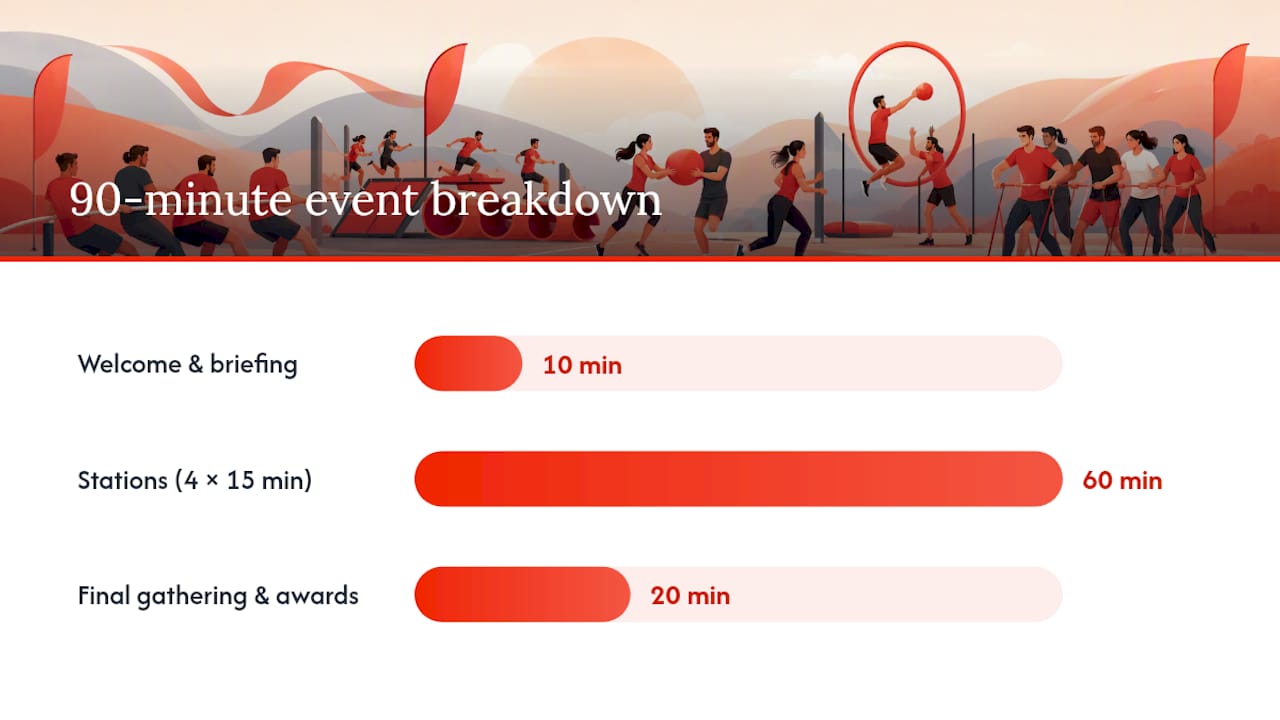
That final block matters more than most organisers realise. Team Trophy’s company Olympics format treats this downtime, while scores are tallied, as the moment where the actual bonding happens, not during the competition itself. Reserving roughly 10 to 15 minutes for teams to relax and swap stories after the last station tends to be the highest-impact stretch of the whole event, precisely because nobody’s performing anymore.
Use that window well:
- Ask each team to share their funniest moment from the day in 30 seconds flat.
- Flick through phone photos taken during the event on a shared screen.
- Run one quick debrief prompt: “What surprised you about a colleague today?”
Keep the awards ceremony itself brief. Announce the overall winning team, then hand out one or two fun individual shout-outs (best comeback, most enthusiastic loser) alongside the trophy. Public recognition, even something as small as a certificate read aloud, tends to land better than an expensive prize, according to guidance from Team Trophy on motivating participation.
Safety, accessibility and equipment essentials
A short equipment list covers most events: cones or floor tape for boundaries, a first-aid kit, spare batteries for any electronic scoring, and clear markers for station zones. Indoors, tape down trailing cables, clear breakables from the play area, and use soft props (foam, paper, bean bags) rather than anything rigid near furniture.
Build accessibility into every station rather than bolting it on afterwards:
- Offer a seated or reduced-distance version of every physical game from the outset, not as a reluctant afterthought.
- Assign non-physical roles (scorer, photographer, quiz host) so anyone who prefers not to compete physically still has a job that counts toward the team.
- Brief a volunteer helper per team to assist anyone who needs it during rotations.
Warm up briefly before any relay or throwing station. YDA UK’s guide on preventing sports injuries notes that a few minutes of light movement before sudden bursts of activity meaningfully cuts strain injuries, which matters for a workforce that’s mostly sat at a desk all week. If someone is nursing an existing injury, advice on staying active with mobility limits points to swapping them into lower-impact or seated formats rather than sitting the whole event out. Postpone or reroute any outdoor station the moment weather turns, rather than pushing through wet or slippery conditions.
Materials and quick DIY builds for office props
Most of the games above can be built from what’s already sitting in a stationery cupboard. A paper-ball shot put uses scrunched paper and a marked throw line. A rubber-band archery target is a taped bullseye on cardboard, propped against a wall. Cardboard hurdles come from flattened delivery boxes cut to knee height and taped for stability.
For anything beyond ten or so participants, weigh renting against buying:
- Rent anything electronic, like scoring systems or a sound-simulated accuracy station, for a single event.
- Buy cheap consumables such as bean bags, cones, and paper, since you’ll reuse them next year.
- Borrow furniture like chairs and tables from the existing office rather than sourcing extra.
Storage and clean-up are easier if props are boxed by station, labelled, and flattened where possible; cardboard hurdles and target boards fold flat for next time. Anyone running events regularly across multiple venues finds it worth keeping a dedicated kit box rather than rebuilding from scratch each time, an approach covered in more detail in this shortlist of portable event activities.
Why a laser-clay station earns its place on the roster
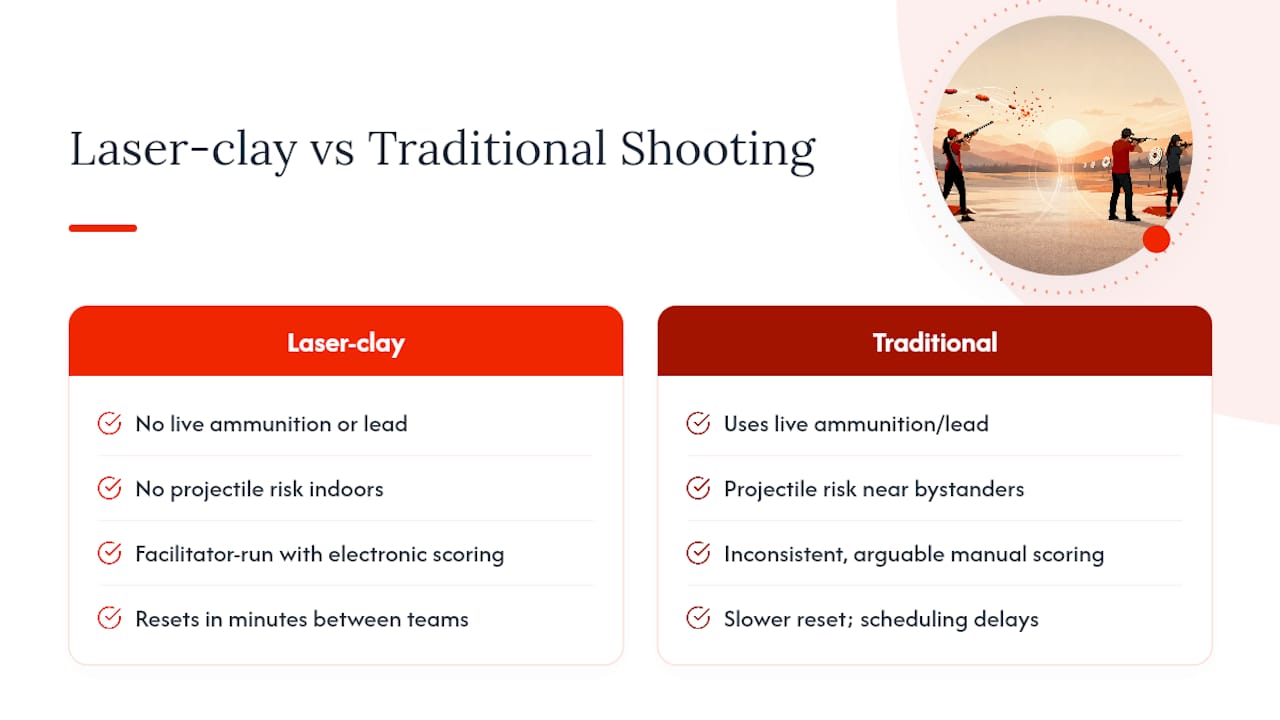
Skill and accuracy stations are usually the crowd favourite, and a facilitator-led laser-clay setup solves the two problems that traditional shooting games create: safety risk and inconsistent scoring. A trained facilitator runs the round, live electronic scoring removes any argument about who actually hit the target, and the whole station resets in minutes for the next team.
The environmental and safety case is straightforward. There’s no live ammunition, no lead, and no projectile risk, which matters when you’re running an activity indoors or near colleagues who’ve never handled a shooting sport before. Insight into facilitated tech-enabled stations backs this up directly: automatic scoring at a station like this cuts disputes and keeps the whole rotation schedule on time, which matters when four other teams are waiting their turn.
A laser-clay station adjusts difficulty on the fly, offers a seated shooting position for anyone who needs it, and hands every team an objective, digital score the moment their round ends. That combination of safety, inclusion, and fairness is difficult to replicate with a DIY equivalent.
It’s one station among many on this list, but it’s the one that reliably gets colleagues who “don’t do sports” queuing up for a second go, largely because the benefits of interactive shooting events show up in engagement numbers, not just anecdotes.
What I’ve learned running company Olympics events
The final point downtime is where the real payoff shows up. Teams stop performing for the leaderboard and just talk, which is usually the moment someone says the day was worth it.
Three lessons stick with me. First, keep every rule explainable in one breath; the moment a station needs a paragraph of instructions, half the team switches off. Second, assign roles before the day starts, not on the morning of, because a scorer who’s improvising loses track fast. Third, build the accessibility option into the station design from day one rather than scrambling for a workaround when someone asks. Pair those three habits with the sample schedule above and the safety checklist, and most of the usual hiccups just don’t happen.
— Joshua
Booking a ready-made accuracy station for your event
Laserclay provides a facilitated accuracy station with live scoring and uses eco-friendly reusable targets instead of live ammunition. If your team’s already sold on including a skill station but nobody wants to spend a weekend building a rubber-band target range, this is the shortcut.
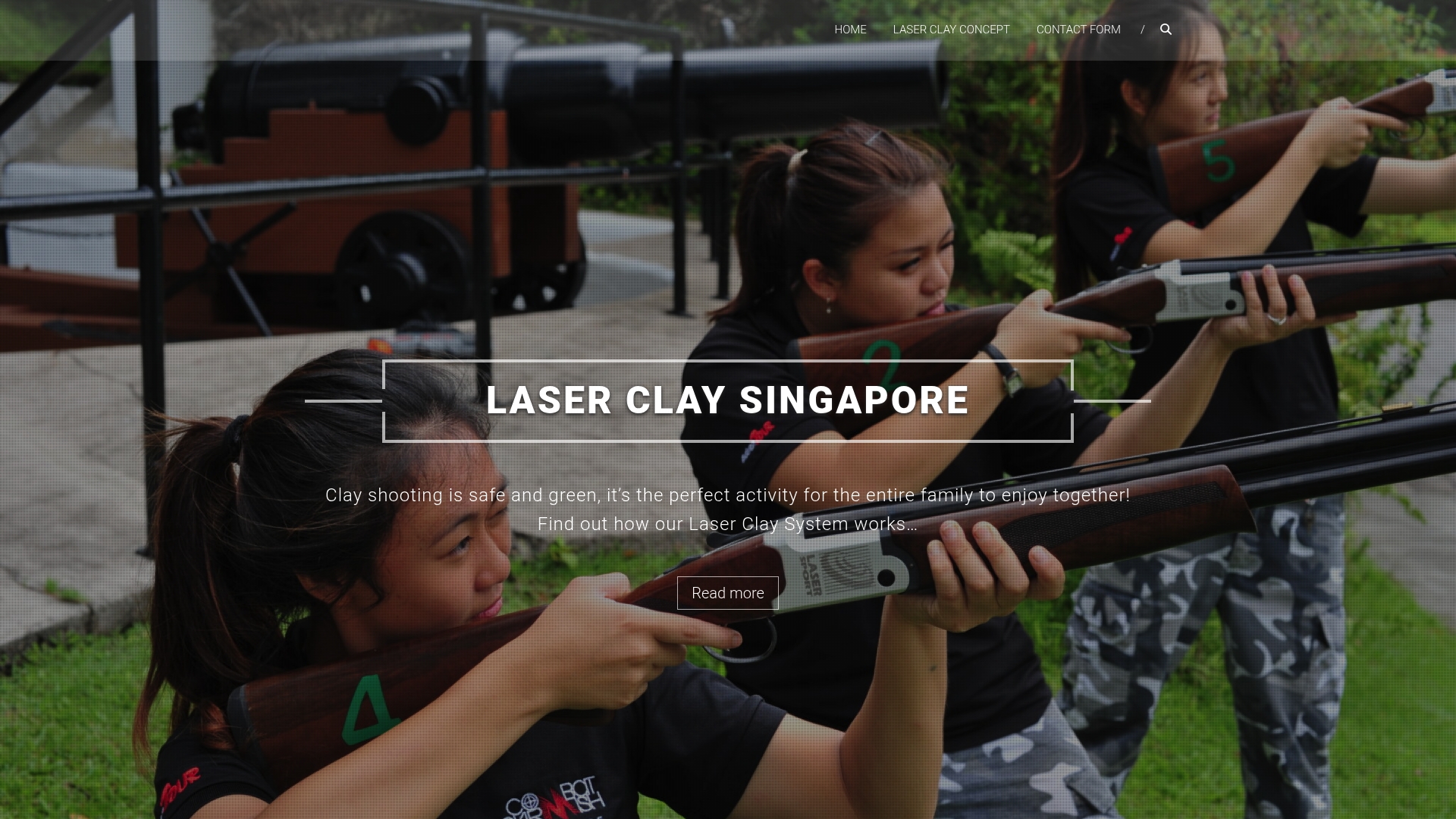
Booking typically includes a facilitator arriving with the full setup, starting the station quickly, and running timed rounds so every team can participate fairly. Sessions can range from a single station within a larger event to a full afternoon focused on laser clay for corporate groups. Read through how Laser Clay sessions work and check dates for your event.
Sources
- Team Trophy | Company Olympics Team Event | Brainpower Events
- Ccup
- Jobacle
- Office Olympics — BBC Three Counties
FAQ
What are some good Office Olympics project ideas beyond the usual games?
Beyond standard relays, try a prediction contest running throughout the day, a video challenge for remote staff, or a department trivia round built from real company history rather than generic questions.
What are some ideas for corporate Games that suit mixed fitness levels?
Combine desk-based challenges like sticky-note towers and paper aeroplane contests with a low-impact accuracy station and a team quiz, so nobody’s excluded by fitness level.
Do companies sponsor or support the Olympics directly?
Major global brands sponsor the Olympic Games through official partnership programmes with the International Olympic Committee, but that’s separate from an office running its own internal company Olympics, which needs no external sponsorship at all.
What are some good Olympic-themed activities for a short lunchtime event?
A 60-minute format with three quick stations, one desk game, one accuracy challenge, and a five-minute trivia round covers the format without eating the whole afternoon.
How do I include remote or hybrid employees in a company Olympics?
Run a prediction contest or video-submission challenge alongside the in-person stations so remote colleagues score points from home, then feed both scores into the same live leaderboard.