
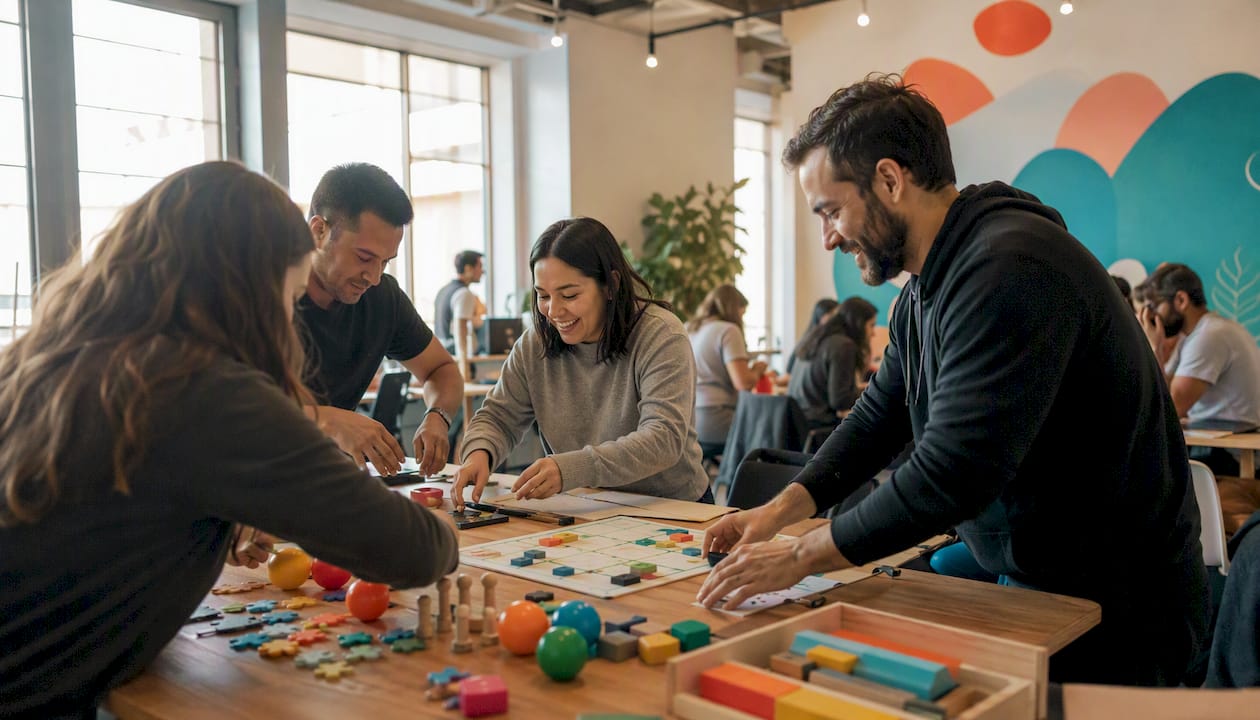
The best indoor team activities for groups with no prior experience fall into four formats: quick no-prop games with a short duration, low-prep problem-solving challenges (15–30 minutes), creative “make” workshops (60+ minutes), and facilitated sessions such as laser clay shooting that a provider runs for you. SessionLab’s catalogue of 53 team-building activities confirms that many of the most effective formats, including Human Knot and Two Truths and a Lie, need zero equipment and work for complete beginners.
Here is a quick-reference guide to help you choose:
- No-prop icebreakers (5–15 min, 4–30 people): zero materials, instant to start, ideal as warm-ups before a meeting or workshop
- Problem-solving challenges (15–30 min, 6–24 people): minimal materials, low setup, good for newly formed teams
- Creative “make” workshops (60+ min, 8–50 people): some materials required, best when you want a physical takeaway and a relaxed pace
- Facilitated bookable options (60–90 min, 10–100+ people): everything provided, no organiser prep beyond booking; Laserclay is one ready-to-book example that suits all ability levels
Key takeaways
The single most important rule for beginner-friendly indoor activities: choose a format where no one in the room has a prior advantage, then keep the timebox short enough that the group has to communicate rather than plan.
| Point | Details |
|---|---|
| Match format to time available | No-prop games fit 5–15 min slots; challenge tasks need 15–30 min; creative workshops need 60+ min. |
| Flag zero-material options first | Games like Two Truths and a Lie, Count to 20, and Word Association need nothing and start instantly. |
| Build in accessibility from the start | State the opt-out, offer written alternatives, and check access needs before the session, not during it. |
| Run a 60-second safety briefing | Before every activity, name the opt-out, any physical cautions, and the debrief format. |
| Laserclay for fully managed sessions | Laserclay provides facilitators, equipment, and scoring for groups of 10–100+, with no experience required. |
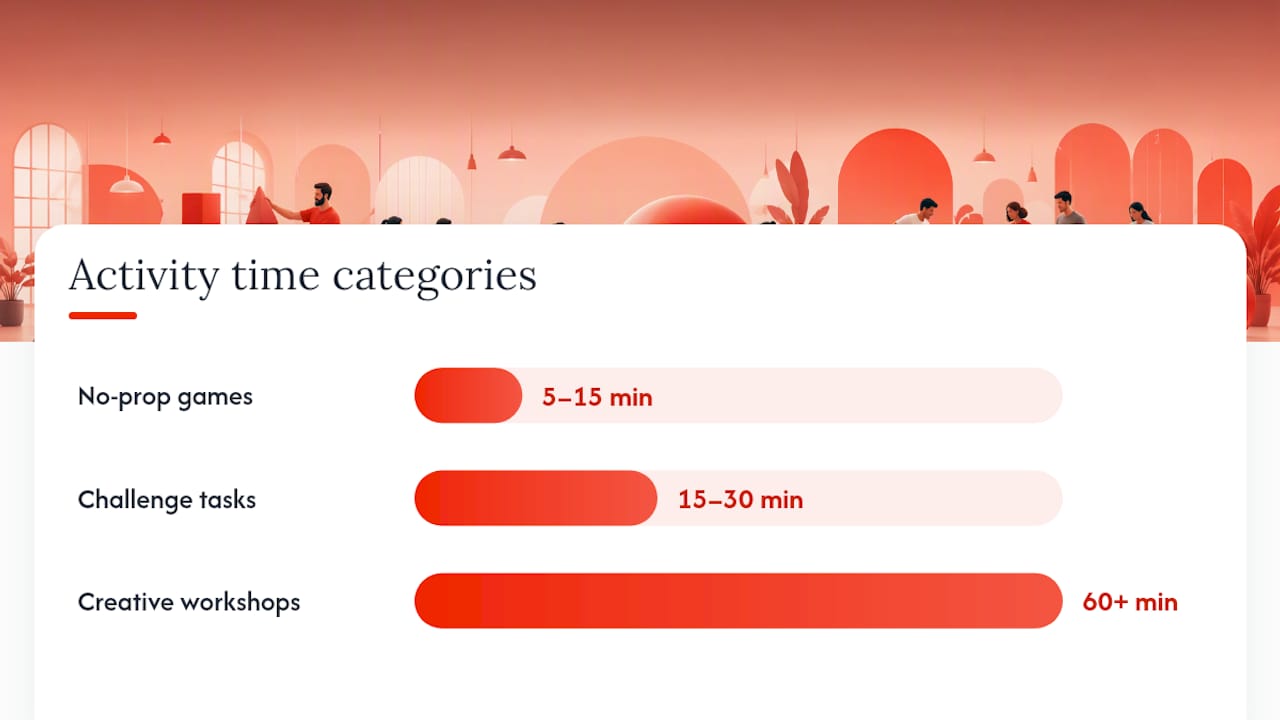
Table of Contents
- 1. Quick games you can run in 5–15 minutes with no materials
- 2. Low-prep problem-solving challenges that take 15–30 minutes
- 3. Icebreakers that work for mixed-ability and neurodiverse groups
- 4. How to run these activities on Zoom, Teams, or Google Meet
- 5. How to run any activity smoothly: a facilitator’s checklist
- 6. Safety, accessibility, and indoor venue considerations for UK organisers
- 7. Why “no experience needed” activities actually work
- 8. From an event planner: quick lessons we use every time
- Laserclay: a ready-to-book option for groups with no experience
- Sources
1. Quick games you can run in 5–15 minutes with no materials
These are the workhorses of beginner-friendly indoor activities. No skill, no setup, no materials unless noted. Toggl’s guide to team-building games recommends several of these specifically for short meeting slots.
Two truths and a lie
Each person states three things about themselves: two true, one false. The group guesses which is the lie. No materials. Run time: 10–15 minutes. Group size: 5–30. Debrief question: “Did anything surprise you about a colleague?” For larger groups, split into sub-groups of 5–6 and run simultaneously.
Count to 20
The group must count from 1 to 20 out loud, with no two people speaking at the same time and no pre-agreed order. Anyone can call a number, but if two people speak simultaneously, the count resets to 1. No materials. Run time: 5–10 minutes. Group size: 6–20. Debrief question: “How did you decide when to speak?” Accessibility note: works well for non-verbal participants if you allow hand signals or written cards instead of calling numbers aloud.
Birthday line-up
Without speaking, participants arrange themselves in order of birthday (day and month only). No materials, though a whiteboard helps for verification. Run time: 5–10 minutes. Group size: 8–30. Debrief question: “What communication strategies did you invent on the spot?” For groups with hearing or speech differences, allow written notes or phone screens.
Who’s who? (Quick draw)
Each person draws a self-portrait in 60 seconds, then the portraits are collected and displayed. The group guesses who drew which. Questiory’s Who’s Who template shows this works for 4–30 people and generates instant laughs with no artistic pressure. Materials: paper and pens. Run time: 10–15 minutes. Debrief question: “What made some portraits easier to identify than others?”
Ninja
Everyone stands in a circle. On “go,” each player strikes a pose and freezes. Players take turns making one sharp, sudden movement to try to touch another player’s hand. If your hand is touched, that arm is out. Last player with a hand remaining wins. No materials. Run time: 5–10 minutes. Group size: 6–20. Accessibility note: offer a seated version where players move only their arms. Shrink to 6 for faster rounds; expand to 20 by running two simultaneous circles.
Caption this
Show a funny or abstract image on a screen (or describe a scenario verbally). Each person writes or calls out a caption. Group votes for their favourite. Surf Office’s quick team-building list flags Caption This as one of the best zero-pressure options for busy schedules. Materials: one image on a screen, optional sticky notes. Run time: 5–10 minutes. Group size: 5–40. Debrief question: “What does the winning caption tell us about how this group sees the world?”
Word association
One person says a word; the next person immediately says the first word that comes to mind, and so on around the circle. No pausing, no explaining. If someone hesitates for more than three seconds, they are out. No materials. Run time: roughly five minutes. Group size: 6–25. Variation: theme rounds (only food words, only work-related words) to increase difficulty gently.
Quick scavenger hunt
Call out a list of 10 common items people might have on them or nearby (a blue pen, something with a logo, a receipt). First person to hold up each item scores a point. No materials beyond the list. Run time: 5–10 minutes. Group size: any. Accessibility note: allow participants to describe an item rather than physically retrieve it if mobility is limited.
Emoji story
Each person picks three emojis from their phone keyboard and uses them to tell a one-sentence story about their week. No materials beyond smartphones. Run time: 10 minutes. Group size: 5–20. Good for hybrid settings where some participants are remote.
Human bingo
Pre-print or share a 4×4 grid of traits (“has a pet,” “speaks more than two languages,” “has worked here over five years”). Participants mingle and find colleagues who match each square. Materials: one printed or digital grid per person. Run time: 10–15 minutes. Group size: 12–40. Debrief question: “Which square was hardest to fill, and why?”
2. Low-prep problem-solving challenges that take 15–30 minutes
These activities need a little more time but still require no experience. The point is collaboration under mild pressure, not skill. Naboo’s catalogue of no-material games confirms that formats like Human Knot consistently level the playing field because physical size and job title become irrelevant.
Human knot
Everyone stands in a circle, reaches across and grabs two different people’s hands. The group must untangle itself without releasing hands. Step 1: form the knot. Step 2: untangle. Step 3: debrief. Safety tip: remind participants to move slowly and communicate before pulling. Variation for larger groups: run two simultaneous knots and race to untangle. For groups with joint or mobility concerns, allow one “free pass” where a pair may briefly release and re-grip.
Paper tower
Each team gets 20 sheets of A4 paper and a short strip of tape. They have 10 minutes to build the tallest freestanding tower. No other materials. Step 1: distribute materials. Step 2: set a 10-minute timer. Step 3: measure and compare. Debrief questions: “What was your first instinct, and did you stick with it?” and “Who took the lead, and how did that happen?” Variation: add a constraint (tower must support a coin on top) to shift the challenge from height to stability.

Back-to-back drawing
Pairs sit back-to-back. One person holds a simple drawing; the other holds a blank sheet and a pen. The first person describes the image without naming it; the second person draws from the description alone. Building Your Team’s step-by-step guide shows this runs in under 10 minutes with just paper, pens, and chairs, and adapts easily to virtual settings using a shared whiteboard. Debrief question: “Where did the description break down?” Quieter variation: swap roles so the less confident speaker gets to draw first.
Blindfolded grid navigation
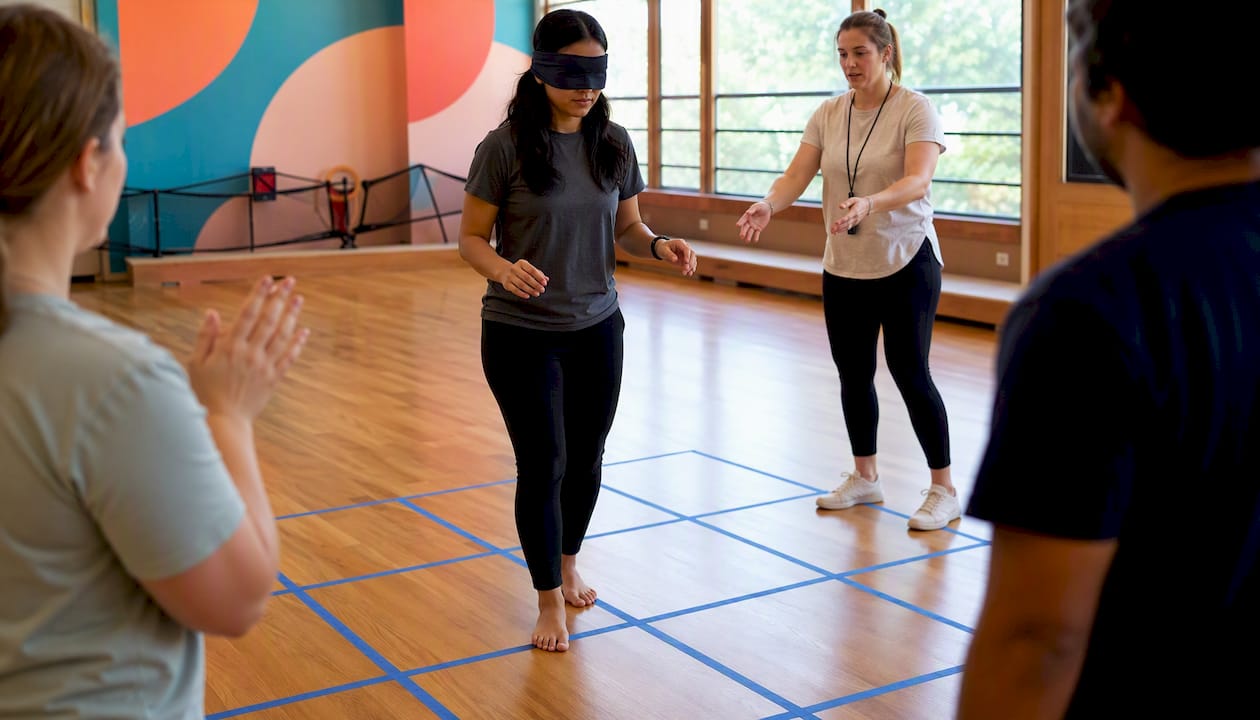
Tape a 4×4 grid on the floor. One player is blindfolded and must cross the grid by following verbal instructions from teammates, avoiding “bomb” squares the facilitator has pre-designated. Step 1: tape the grid and mark bomb squares on a facilitator card only. Step 2: blindfold the first player. Step 3: team guides them across. Rotate players. Safety note: clear the surrounding floor of trip hazards before starting. Accessibility note: replace the blindfold with closed eyes or a visual barrier for participants who find blindfolds uncomfortable.
Barter puzzle
Split into teams of 4–6. Give each team a jigsaw puzzle, but secretly mix a few pieces from each team’s puzzle into the others’ sets. Teams must complete their puzzle but can only acquire missing pieces by negotiating, trading, or sending a team member to another group. No stealing. Debrief question: “What negotiation tactics worked, and which backfired?”
Marshmallow challenge
Teams of 4–5 have 18 minutes to build the tallest freestanding structure using 20 sticks of spaghetti, one metre of tape, one metre of string, and one marshmallow, which must sit on top. The catch: most adults instinctively plan too long and build too late. Debrief question: “When did you first test whether the structure would hold?”
3. Icebreakers that work for mixed-ability and neurodiverse groups
The most common mistake with warm-ups is designing them for the most confident person in the room. A good inclusive icebreaker gives everyone a quiet entry point, never forces personal disclosure, and always offers an opt-out.
Three principles to keep in mind before you choose an activity:
- No forced disclosure. Activities that require sharing personal information (family details, health history, strong opinions) put some participants in an uncomfortable position immediately. Stick to low-stakes topics: favourite foods, a recent film, a colour.
- Multi-sensory entry points. Offer written, spoken, and visual ways to participate so that participants with communication differences, hearing loss, or anxiety can engage on their own terms.
- Optional participation. State clearly at the start that everyone can pass or observe. Groups where participation feels genuinely optional tend to have higher actual participation.
Here are six starter activities that work well for mixed-ability groups, each with a one-line adaptation:
- Colour preference poll (show of hands or digital poll): ask each person to pick a colour that represents their mood today. Adaptation: allow written or typed responses for participants who prefer not to speak aloud.
- Object show-and-tell (30 seconds each): ask everyone to hold up one object near them and say one word about it. Adaptation: allow a photo on a phone screen instead of a physical object.
- Silent line-up (order by shoe size, height, or number of siblings): a physical, non-verbal task that removes the pressure of speaking. Adaptation: allow participants to write their number on a card and hold it up instead of moving.
- Shared playlist vote: share a short list of song titles (no audio needed) and ask each person to pick the one that sounds most like their week. Adaptation: works entirely in writing or via a digital poll.
- One-word check-in: go around the room and ask each person for one word that describes how they arrived today. Adaptation: allow a thumbs-up, thumbs-sideways, or thumbs-down gesture for participants who prefer not to speak.
- Strengths bingo (a simplified version of Human Bingo using professional strengths rather than personal facts): keeps the activity relevant and avoids personal disclosure. Adaptation: allow participants to self-nominate rather than approach others.
Inclusivity checklist for any activity
Before running any warm-up, tick these five boxes:
- [ ] Participants know they can pass or observe without explanation
- [ ] Instructions are given both verbally and in writing (or on a visible screen)
- [ ] The activity does not require standing, running, or fine motor skill unless a seated alternative is offered
- [ ] There is a quiet space nearby for anyone who needs a short break
- [ ] The facilitator has checked for relevant access needs with the organiser in advance
For school groups or community events, Laserclay’s guide to inclusive outdoor school sports offers additional examples of how facilitated activities can be adapted for mixed-ability participants.
4. How to run these activities on Zoom, Teams, or Google Meet
Remote teams can run most of these games with minor adjustments. The key shift is replacing physical space with screen features: breakout rooms replace sub-groups, shared whiteboards replace paper, and polls replace show-of-hands.
- Two truths and a lie → run as a poll (host creates three options; group votes). Works for up to 200 participants on Zoom or Teams. Timing: add 30 seconds per person for poll loading.
- Who’s who? / Quick draw → participants draw on a shared Miro or Jamboard whiteboard in 60 seconds, then the host reveals them one by one. Accessibility note: allow typed descriptions instead of drawings for participants without a mouse or stylus.
- Back-to-back drawing → one participant shares a simple image via screen share (visible only to them); their partner draws on a whiteboard or paper from the verbal description. Virtual timing: add 2–3 minutes for screen-share setup.
- Word association → use the chat box. Host calls a starting word; participants type their association simultaneously and hit send on the host’s signal. Fast, high-energy, and works for 10–60 people.
- Quick scavenger hunt → participants find items in their home or workspace and hold them up to the camera. First to show the item scores. Works for any group size; no prep needed beyond the item list.
- Caption this → host shares an image via screen share; participants type captions in the chat. Group reacts with emoji to vote for the best. Emojipedia is a handy reference if you want to use specific emoji reactions as a voting mechanism.
- Human bingo → share the grid in the chat or via a shared document. Participants message each other directly to find matches. Works for 12–40 people in a 15-minute slot.
- Colour preference poll → one-click poll in Zoom, Teams, or Google Meet. Takes 90 seconds and works as an instant warm-up before any longer session.
Facilitation tips for online settings
Keep breakout rooms to 4–5 people maximum: larger virtual sub-groups tend to go quiet quickly. Give each room a single, specific task with a visible timer (Teams has a built-in timer; for Zoom, share a browser countdown). Always do a 60-second tech check before the session starts: ask everyone to confirm their audio works and their camera is on if they are comfortable. For participants joining on mobile, confirm that the whiteboard tool you plan to use has a mobile-friendly interface before the session.
5. How to run any activity smoothly: a facilitator’s checklist
Good facilitation is mostly logistics sorted in advance. The activities above are simple; the organiser’s job is to remove every reason for them to stall.
Before the session
- Confirm the space. Check floor area (roughly 2 square metres of clear floor per person for active games), ceiling height for anything involving throwing, and proximity to fire exits. Remove chairs, bags, and cables from the activity zone.
- Prepare materials. Count out paper, pens, tape, and any props per team. Put each team’s materials in a separate bag or pile so distribution takes under 30 seconds.
- Check accessibility needs. Ask the organiser in advance whether any participant has a mobility, sensory, or communication need, and prepare the relevant adaptation from the lists above.
- Set your timeboxes. Write the start time, activity end time, and debrief end time on a card. Share it with a co-facilitator if you have one.
- Assign roles. If you are running multiple simultaneous sub-groups, designate one person per group as a “team anchor” who keeps the group on task.
- Safety sign-off. Walk the space and remove trip hazards. Confirm first-aid kit location. For blindfolded activities, clear a 2-metre buffer around the activity zone.
- Contingency plan. If the activity stalls or a participant opts out, have one backup game ready (Two Truths and a Lie works as a universal fallback).
During the session
- State the rules once, clearly. Demonstrate rather than explain wherever possible: show the first move of Ninja rather than describing it.
- Give a 2-minute warning before time is up so teams can wrap up rather than being cut off mid-task.
- Run a short debrief. Three questions are enough:
- “What happened?” (factual recap)
- “What did you notice about how your group worked?” (process observation)
- “What would you do differently next time?” (transfer to real work)
- Watch for disengagement. If a sub-group goes quiet, join them briefly and ask one open question rather than re-explaining the rules.
Pro Tip: Set a 60–90 second timebox for the first round of any skill-based task. Short timeboxes shift the group’s focus from “doing it right” to “doing it together,” which lowers performance anxiety immediately.
Pro Tip: If you have anxious or introverted participants, run the first activity in pairs before moving to full-group formats. A one-to-one conversation is far less threatening than speaking in front of 20 people, and it warms everyone up faster.
6. Safety, accessibility, and indoor venue considerations for UK organisers
UK venues carry specific obligations that are worth checking before you confirm a booking. This is not a substitute for professional legal advice, but these are the practical points most organisers miss.
Safety checklist
- [ ] Fire exits are unobstructed and all participants know where they are
- [ ] Maximum occupancy for the room has been confirmed with the venue
- [ ] A first-aid kit is on site and at least one person present holds a current first-aid certificate
- [ ] Trip hazards (cables, bags, furniture edges) have been cleared from the activity zone
- [ ] For any blindfolded activity, a 2-metre clear buffer zone is taped or marked on the floor
- [ ] Ventilation is adequate: open windows or confirm HVAC is running, especially for larger groups in smaller rooms
Insurance and reasonable adjustments
Most UK venues carry public liability insurance, but confirm this covers third-party-organised activities, not just the venue’s own events. If you are bringing in an external facilitator or equipment, check whether their public liability insurance covers your group size. Under the Equality Act 2010, venues and organisers are expected to make reasonable adjustments for disabled participants: this typically means accessible entrances, adapted seating, and the activity adaptations listed in Section 3 above.
Space planning rules of thumb
- Active games (Ninja, Human Knot): allow at least 2 m² of clear floor per person
- Seated challenge activities (Back-to-Back Drawing, paper tower): 1.5 m² per person is sufficient
- Noise: warn the venue if your activity involves shouting or music; some shared-building venues have noise restrictions during working hours
- Corridors: avoid running activities in corridors even if the floor space looks adequate; emergency egress must remain clear at all times
Common troubleshooting
Ventilation: if the room heats up quickly with a large group, schedule a 5-minute break every 30 minutes and open windows or doors between rounds.
AV issues: always test projectors, screens, and speakers 15 minutes before participants arrive. Have a printed or written backup for any activity that relies on a displayed image.
Tight spaces: if the room is smaller than expected, swap any running or throwing game for a seated version immediately. Back-to-Back Drawing, Word Association, and Two Truths and a Lie all work in a room where participants are seated at tables.
7. Why “no experience needed” activities actually work
The mechanism is straightforward. When a task is genuinely new to everyone in the room, no one has a performance advantage. Shared novelty shifts the group’s attention from individual competence to collective communication, which is exactly the condition that builds trust quickly.
Asana’s team-building resources make the point clearly: the best activities create shared experiences that encourage collaboration and trust without complex or daunting rules. The design principle is simplicity, not difficulty.
Short timeboxes reinforce this. When a team has 90 seconds to build something or solve a problem, there is no time to defer to the most experienced person. Everyone contributes, which means everyone has a stake in the outcome.
Back-to-Back Drawing is a clean example of low-prep, high-return design. Building Your Team’s documented version runs in under 10 minutes with paper, pens, and chairs, yet it reliably surfaces communication gaps that teams did not know they had. The virtual adaptation, using a shared whiteboard, works just as well for remote groups.
Events in Minutes’ indoor team-building guide makes a related point about creative “make” workshops: formats that produce a physical takeaway (a dish, a planted terrarium, a piece of art) work well for mixed groups because shared food or a shared object lowers social barriers faster than a game with a winner and a loser.
For groups that want a facilitated, bookable option with no organiser prep, escape-room formats demonstrate how immersive, time-pressured experiences reveal collaboration behaviours without requiring any prior skill. The same logic applies to laser clay shooting: the activity is genuinely new to almost every participant, the scoring system creates shared stakes, and a facilitator manages the entire session.
Laserclay as a ready-to-book indoor option
For organisers who want a facilitated session rather than a self-run game, Laserclay offers laser clay shooting for corporate and group events:
- No prior shooting experience required; facilitators brief every participant before play begins
- Sound-simulated deactivated shotguns and eco-friendly reusable clay targets: no live ammunition, no safety risk
- Real-time electronic scoreboards create shared stakes without eliminating anyone
- Scales from small groups to large events; indoor and outdoor venue options available
- Equipment, facilitators, and scoring systems are all provided
8. From an event planner: quick lessons we use every time
Running beginner-friendly indoor activities is less about the activity itself and more about the 10 minutes before it starts. Here are the rules that consistently make the difference.
Start with the lowest-pressure option you have. The first activity sets the tone for everything that follows. A two-minute word association or a colour poll costs nothing and tells you immediately how warm or cautious the group is. Adjust from there.
Always state the opt-out before you start. Say it once, plainly: “You can watch and join in when you feel ready.” Groups where the opt-out is explicit tend to have fewer people sitting on the edges, because the pressure to perform has been removed.
Bring spares. Extra pens, extra paper, a printed backup of any digital activity. Something will run out or fail. The groups that remember an event fondly are the ones where the facilitator solved problems without making them visible.
Pre-assign small teams where possible. Self-selected groups tend to replicate existing social clusters, which defeats the purpose of a team-building session. Assign teams in advance using a simple method (birthdays, coloured cards, random draw) and state the reason briefly: “We’ve mixed the groups so you get to work with people you don’t usually sit next to.”
Two operational shortcuts for faster setup: (1) pre-count and bag materials per team the night before, not on the day; (2) write the activity rules on a single A5 card per team so you are not repeating instructions to six sub-groups simultaneously.
Measure success by watching, not asking. The clearest signal that an activity worked is not the post-event survey score. It is whether people are still talking about it 10 minutes after it ended, whether quieter participants contributed visibly, and whether the energy in the room lifted during the debrief. Those three signals are observable in real time and tell you more than any feedback form.
For creative indoor workshops that work on the same low-pressure principle, Henna For Fun’s corporate workshops offer a hands-on, no-skill-required format that gives every participant a quiet, tactile role and a physical takeaway to leave with.
Laserclay: a ready-to-book option for groups with no experience
Most of the activities in this article are self-run, which is exactly right for small groups and tight budgets. For larger groups, corporate events, or occasions where the organiser wants to be a participant rather than a facilitator, a fully managed session removes every logistical variable.
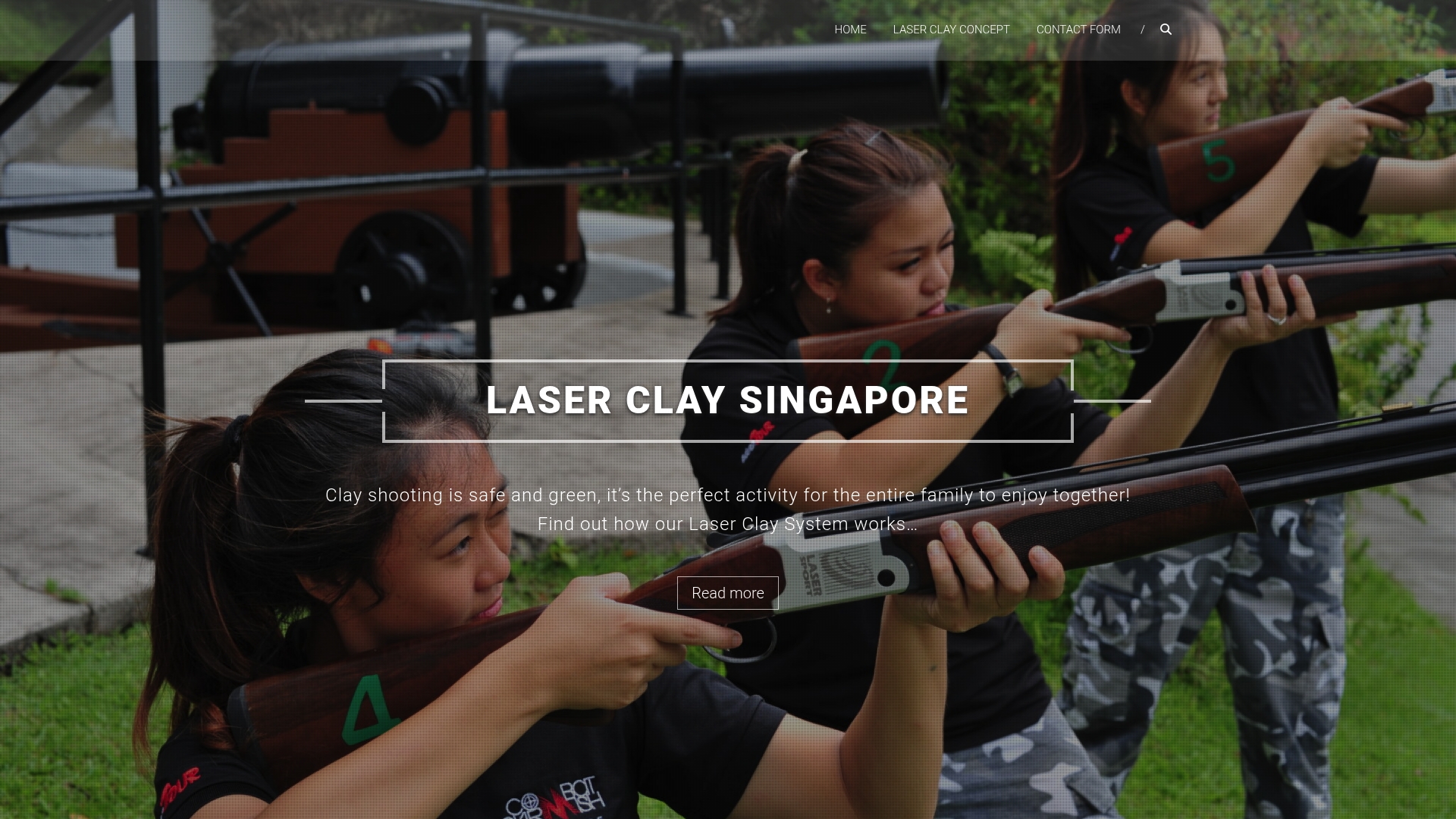
Laserclay brings the equipment, the facilitators, and the scoring system to your venue. Participants pick up a sound-simulated shotgun, receive a 5-minute briefing, and start shooting laser clay targets immediately. No experience, no ammunition, no safety risk. The real-time scoreboard creates friendly competition without eliminating anyone, and the format scales from 10 to 100+ participants. Find out how Laserclay works for beginner groups and request a quote for your event date. For corporate bookings specifically, the corporate team-building packages page covers group sizes, session lengths, and customisation options.
Sources
- 53 team building activities to improve teamwork in 2025 …
- Back-to-Back Drawing Game: A Team Meeting Icebreaker – Building Your Team
- 38 Team Building Games That You Will Actually Enjoy