Yes, inclusive team building is achievable, and it doesn’t require watering anything down. Prioritise collaborative, multi-pathway activities such as creative co-design projects, knowledge-sharing formats, and accessible tech-based games, all built on one design rule: offer several ways to contribute so nobody has to perform to belong. What follows is a shortlist organised by activity type, a planning checklist, adaptation scripts, and a way to measure whether any of it actually changed how your team feels about showing up.
TL;DR:
- Most activities should include multiple ways to participate, such as written, verbal, or observational options, to accommodate diverse abilities and preferences.
- Assign roles explicitly at the start of activities, rotate participation roles regularly, and provide clear, accessible instructions to foster genuine inclusion for all participants.
- Ensure physical and sensory accessibility by checking venue features and offering quiet spaces, pre-event materials, and role alternatives that account for invisible barriers.
- Use targeted feedback methods, including participation mode breakdowns and psychological safety indicators, to measure and improve ongoing inclusivity efforts.
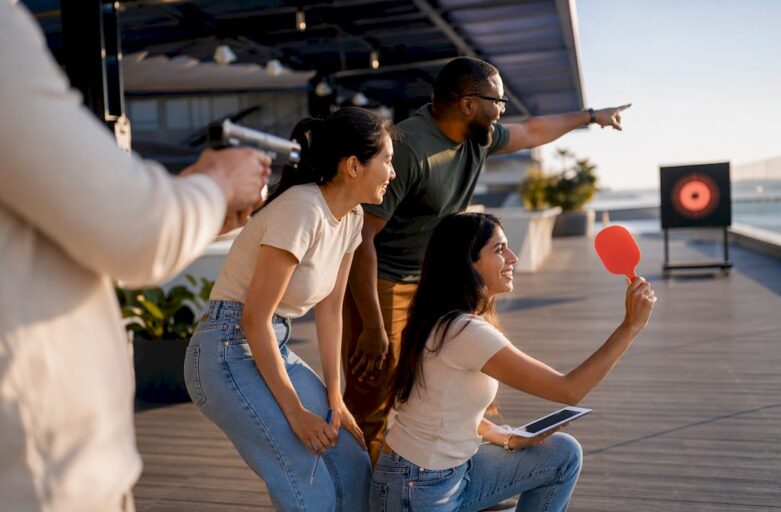
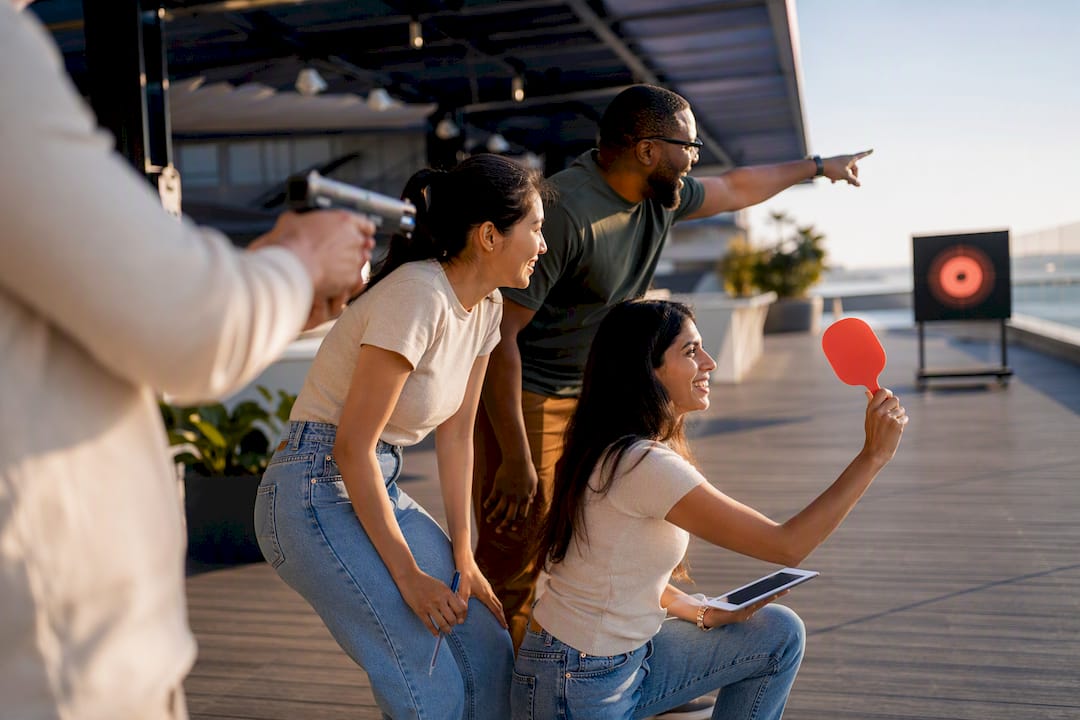
- Laser clay shooting exemplifies inclusive design by removing physical and skill barriers, offering roles for everyone, and rotating participants to promote engagement without prior experience.
Table of Contents
- What are the best inclusive team building activities?
- How do you plan an inclusive team building event step by step?
- Which facilitator scripts work for different activity types?
- What accessibility and neurodiversity checks matter most?
- How do you measure whether your event actually improved inclusion?
- Why is Laser Clay a useful example of an inclusive activity?
- Author perspective: what planners miss and quick rules to follow
- How do you book Laser Clay for an inclusive team event?
- Sources
- FAQ
What are the best inclusive team building activities?
The strongest activities share a structure, not a theme. They give people a choice of role, they don’t reward speed or physical confidence over thoughtfulness, and they work whether someone is neurodivergent, hard of hearing, new to the language, or simply exhausted from back-to-back meetings. Below are 25 options grouped by type, each with a note on why it holds up under real-world conditions and how to adapt it further.
Quick icebreakers
- Two truths and a wonder — a twist on the old favourite where the third statement is something you’re curious about, not a lie. Groups of 4 to 6, five minutes. Written or spoken; nobody has to invent a convincing fib under pressure.
- Silent line-up — teams arrange themselves by birth month, height, or years at the company without speaking. Works for any group size, ten minutes. Removes verbal pressure entirely, which suits quieter colleagues and non-native speakers alike.
- One-word check-in — each person offers a single word for how they’re arriving that day. Any size, under five minutes. Allow typed responses in a shared doc for remote or camera-shy participants.
- Object show-and-tell — people bring something from their desk that says something about them. 6 to 10 people, fifteen minutes. Photos work as well as physical objects, so it travels to hybrid setups.
- My name, my story — a short prompt asking people to share the story behind their name if they choose to. Groups of 5 to 8, ten minutes. Always frame as optional; some people have complicated relationships with this one.
Collaborative creative projects
- Mural or mood-board build — teams contribute to a shared visual piece representing a project or value. 8 to 20 people, 45 minutes. Assign explicit roles: designer, assembler, narrator, so contribution isn’t limited to artistic confidence.
- Collaborative storytelling — one sentence at a time, building a narrative around a shared challenge. Any size in small groups, twenty minutes. Written contributions via chat work as well as spoken ones.
- Song or podcast remix — teams script a short audio piece about their work culture. 6 to 12 people, one hour. Lets people who dislike being on camera contribute through writing or editing instead of performing.
- Values collage — physical or digital collage representing team values, built from magazine cuttings or stock images. 10 to 15 people, 30 minutes.
- Build-a-mascot — teams design a character representing their department. Any size, 30 minutes. Low stakes, genuinely funny, and doesn’t require artistic skill to enjoy.
Problem-solving challenges
- Escape-room style puzzle — clue-based challenges solved in teams, with roles for researcher, planner, and presenter assigned in advance. 6 to 10 people, one hour. Assigning roles ahead of time removes the last-minute scramble that tends to freeze out quieter or neurodivergent participants.
- Reverse brainstorm — teams identify how to make a process fail, then flip the list into fixes. 5 to 8 people, 30 minutes. Naturally rewards analytical thinkers who dislike open-ended creative tasks.
- Budget simulation — allocate a fictional budget across competing priorities and defend the choice. 4 to 6 people, 45 minutes.
- Cross-department case study — solve a real (anonymised) business problem from another team’s perspective. 6 to 12 people, one hour.
- Silent brainstorming (brainwriting) — everyone writes ideas on sticky notes before any discussion happens. Any size, fifteen minutes. Consistently surfaces ideas that get lost when the loudest voice speaks first.
Community and service activities
- Charity packing drive — assembling care packages with rotating stations so people can sit, stand, or work at their own pace. 10 to 40 people, one to two hours.
- Skills-based volunteering — teams offer professional skills (design, writing, spreadsheets) to a local non-profit for an afternoon. Small groups, half day.
- Letter-writing project — writing to community groups, hospitals, or care homes. Any size, 30 minutes. Entirely low-sensory and works equally well typed.
- Local clean-up — outdoor litter-picking or park tidy-up with flexible pacing and seated sorting roles. 10 to 30 people, one to two hours.
Virtual and hybrid options
- Asynchronous scavenger hunt — a list of tasks completed over 48 hours rather than in real time. Any size. Removes timezone and camera pressure entirely.
- Collaborative playlist or reading list — everyone submits one item to a shared team resource. Any size, ongoing.
- Virtual trivia with team chat answers — questions answered via text rather than shouted out, keeping pace fair for slower typers and non-native speakers. 6 to 20 people, 30 minutes.
- Shared document brainstorm — real-time or asynchronous contribution to a single working file. Any size.
Intergenerational and cross-cultural formats
- Skills swap session — pairs from different generations or backgrounds teach each other a small skill. 4 to 10 pairs, 30 minutes. Penn State’s intergenerational curricula offer tested formats for structuring these exchanges well.
- Laser clay shooting — a facilitator-run session using sound-simulated equipment and electronic scoring, with rotating roles of shooter, scorer, coach, and observer. 6 to 30 people, one to two hours. Because nobody needs prior shooting experience or particular physical strength, it sits comfortably alongside quieter formats as a low-barrier team building venue option that still gives people something genuinely fun to talk about afterwards.
How do you plan an inclusive team building event step by step?
Good inclusion doesn’t happen by accident on the day. It gets built into the planning weeks before anyone walks into the room.
- Define the objective first. Are you building trust after a restructure, welcoming new hires, or just giving people a reason to talk to someone outside their immediate team? The objective shapes which activities even make sense.
- Send an anonymous needs and accessibility survey. Ask specific questions: mobility needs, sensory sensitivities, dietary requirements, language preferences, and caregiving constraints on timing. Phrase questions around support rather than diagnosis. Asking “Which supports would help you participate fully?” gets more honest, useful answers than “Do you have a disability?” because it invites practical detail instead of a label.
- Invite co-creation before locking the agenda. Share two or three shortlisted activities with a small representative group and let them flag concerns or suggest tweaks. This single step does more to prevent an event feeling tokenistic than any amount of polish on the day itself.
- Choose activities that support multiple roles. Every format on your shortlist should have at least one low-physical-effort, low-verbal-pressure way to contribute.
- Check the venue for physical access. Step-free routes, seating at every station, lift access, and toilets that work for wheelchair users. If you’re using portable outdoor or indoor setups, confirm ground surface and weather contingency early.
- Plan for quiet space. A room or corner away from the main activity where anyone can step out without needing to explain why.
- Get timing and transport right. Avoid scheduling that clashes with school pick-ups, prayer times, or public transport gaps. Confirm dietary needs with catering at least a week out, not the morning of.
- Brief facilitators properly. Give them a short script for inviting quieter voices (“Let’s hear from someone who hasn’t spoken yet”), a clear process for offering opt-outs without drawing attention, and explicit guidance on spotting micro-exclusion, like a group repeatedly interrupting the same person or steering tasks away from someone assumed to be “not technical”.
- Build in day-of fallback options. If an activity clearly isn’t working for someone, facilitators need a pre-agreed alternative role rather than improvising on the spot.
- Close the loop afterwards. Send a short feedback survey within 48 hours, assign an owner for any action items, and set a date to check whether changes were actually made.
Pro Tip: Brief facilitators on one specific phrase to avoid: “Does everyone understand?” It invites silence from anyone unsure. Swap it for “What’s one thing that’s still unclear?” — it assumes confusion is normal and gets a far more honest response.
Which facilitator scripts work for different activity types?
The activity matters less than how it’s introduced and steered. A few reusable scripts cover most situations.
For icebreakers, keep the opt-in explicit. A line like “Share as much or as little as you’d like, written or spoken, it’s entirely your call” removes the unspoken assumption that everyone must perform verbally. For “My name, my story”, give people the option to write their answer on a card and hand it to the facilitator to read aloud instead of speaking themselves.
For creative collaboration, assign roles before the activity starts rather than letting people self-select under time pressure, which almost always favours the most confident person in the room. A designer sketches, an assembler builds, a narrator explains the finished piece to the group. Rotate roles across sessions so nobody gets stuck as “the quiet one who just watches”.
For problem-solving challenges, break the task into researcher, planner, and presenter roles and let people choose based on comfort rather than seniority. Someone anxious about public speaking can research; someone who processes information slowly but thoroughly can plan; someone who thinks fast on their feet can present. This single adjustment tends to lift participation from people who otherwise sit out competitive problem-solving formats entirely.
Community projects scale well because tasks can be broken into small, parallel jobs, packing, labelling, sorting, writing, that don’t require standing for long periods or lifting anything heavy. Make sure at least one task exists at seated height.
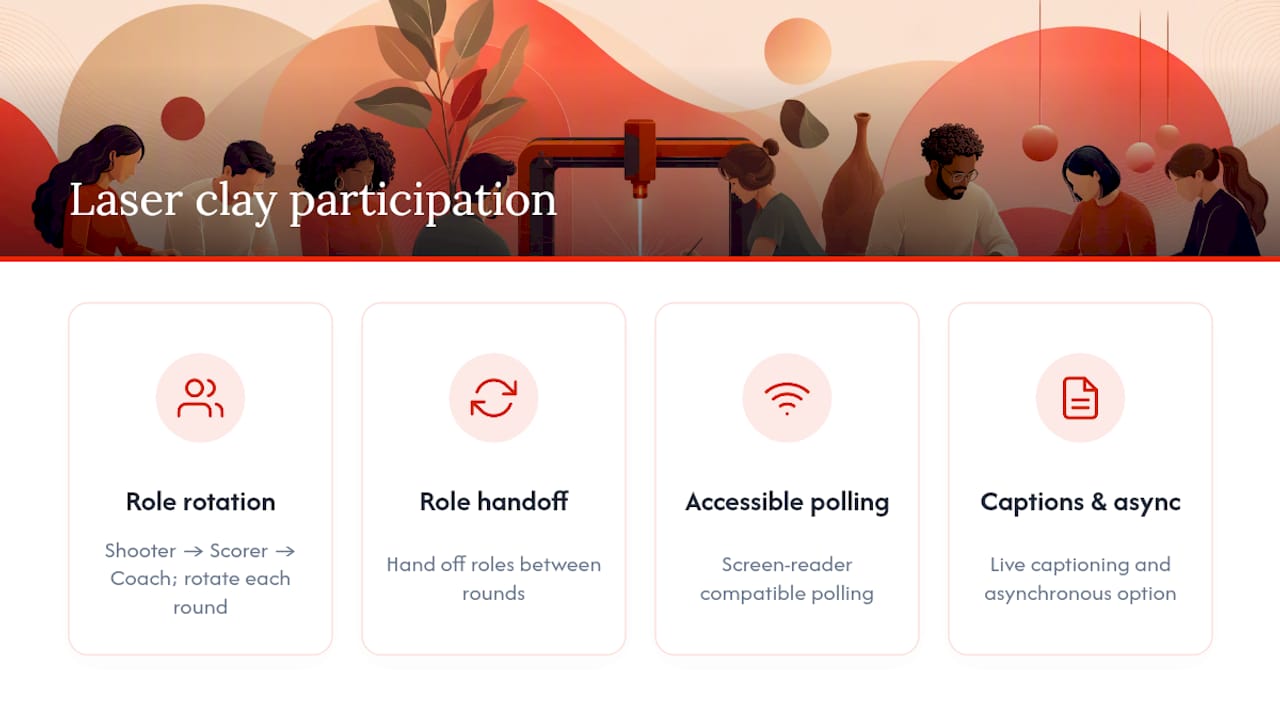
Tech-assisted games need accessible polling (screen-reader compatible), live captioning where budget allows, and an asynchronous option for anyone who can’t attend the live session. A format like laser clay shooting supports this naturally: someone can act as the shooter for a round, hand off to be the scorer or coach for the next, and rotate again, so energy levels and confidence don’t dictate who gets to be “in” the activity. Roughly 83% of employees report psychological safety as a top factor in team performance according to research summarised in a peer-reviewed review of inclusive team practices, and rotating roles is one of the most direct ways to signal that safety in a live activity.
Virtual and hybrid sessions need cameras-off as a standing option, not a special request. Add captioning by default, offer an asynchronous version of any live task, and set a facilitator checkpoint every fifteen minutes to explicitly ask the remote half of the room if they’re keeping up.
What accessibility and neurodiversity checks matter most?
Physical accessibility gets checked because it’s visible: ramps, lift access, accessible toilets. Cognitive and sensory accessibility gets missed constantly because it’s invisible, and it’s usually the bigger barrier in a typical office team-building session.
A wheelchair user might navigate your venue fine but still get excluded by a rapid-fire trivia round that penalises processing speed. Someone with sensory sensitivities might walk without difficulty but find a loud, echoing room genuinely painful to sit in for two hours. Design for both.
Practical adjustments that make a real difference:
- Circulate agendas and instructions in advance rather than explaining everything live for the first time on the day.
- Build pauses into the schedule rather than back-to-back activities with no downtime.
- Keep a quiet corner available and clearly signposted, not hidden.
- Offer written contribution options alongside spoken ones for every discussion-based activity.
- Give role alternatives so nobody has to opt out entirely to avoid a specific sensory or physical demand.
Gather needs confidentially through an anonymous form routed to a single HR contact, not the team manager, and avoid follow-up questions that single someone out in front of colleagues. The Council of Europe’s Gender in a Box toolkit is a useful reference for structuring reflective exercises that touch on identity without putting anyone on the spot.
Pro Tip: Train facilitators to count silently to five after asking a question before moving on. Most facilitators fill silence within two seconds, which is exactly the window a processing-differences colleague needs to formulate an answer.
How do you measure whether your event actually improved inclusion?
Fun feedback forms tell you whether people enjoyed the afternoon. They don’t tell you whether anyone felt more able to speak up in the next planning meeting. Track both.
Useful metrics include:
- Participation mode breakdown — how many people used written versus verbal contribution options, and whether that split shifted across repeat events.
- Psychological safety indicators — a short scale asking how comfortable people felt raising a disagreement or asking a question during the activity.
- Qualitative themes — open text responses coded for recurring words like “rushed”, “left out”, “comfortable”, or “seen”.
- Accessibility incidents — anything logged on the day, from a step-free access failure to a facilitator missing a caption request.
| Metric type | What it captures | How to gather it |
|---|---|---|
| Participation mode | Split between verbal, written, and observer roles taken | Facilitator log during the event |
| Psychological safety | Comfort speaking up or opting out | 3 to 5 item post-event survey |
| Qualitative themes | Recurring language in open feedback | Coded review of free-text responses |
| Accessibility incidents | Access or accommodation failures | Facilitator debrief within 24 hours |
Structure the post-event survey around three or four questions maximum, sent within 48 hours while memory is fresh. Assign a named owner for each recurring theme in the feedback, not a vague commitment to “look into it”, and set a repeat cadence, quarterly works for most teams, so each event builds on lessons from the last rather than starting from zero. The CIPD’s people practice resources offer a solid framework for folding this kind of feedback into broader L&D reporting.
Why is Laser Clay a useful example of an inclusive activity?
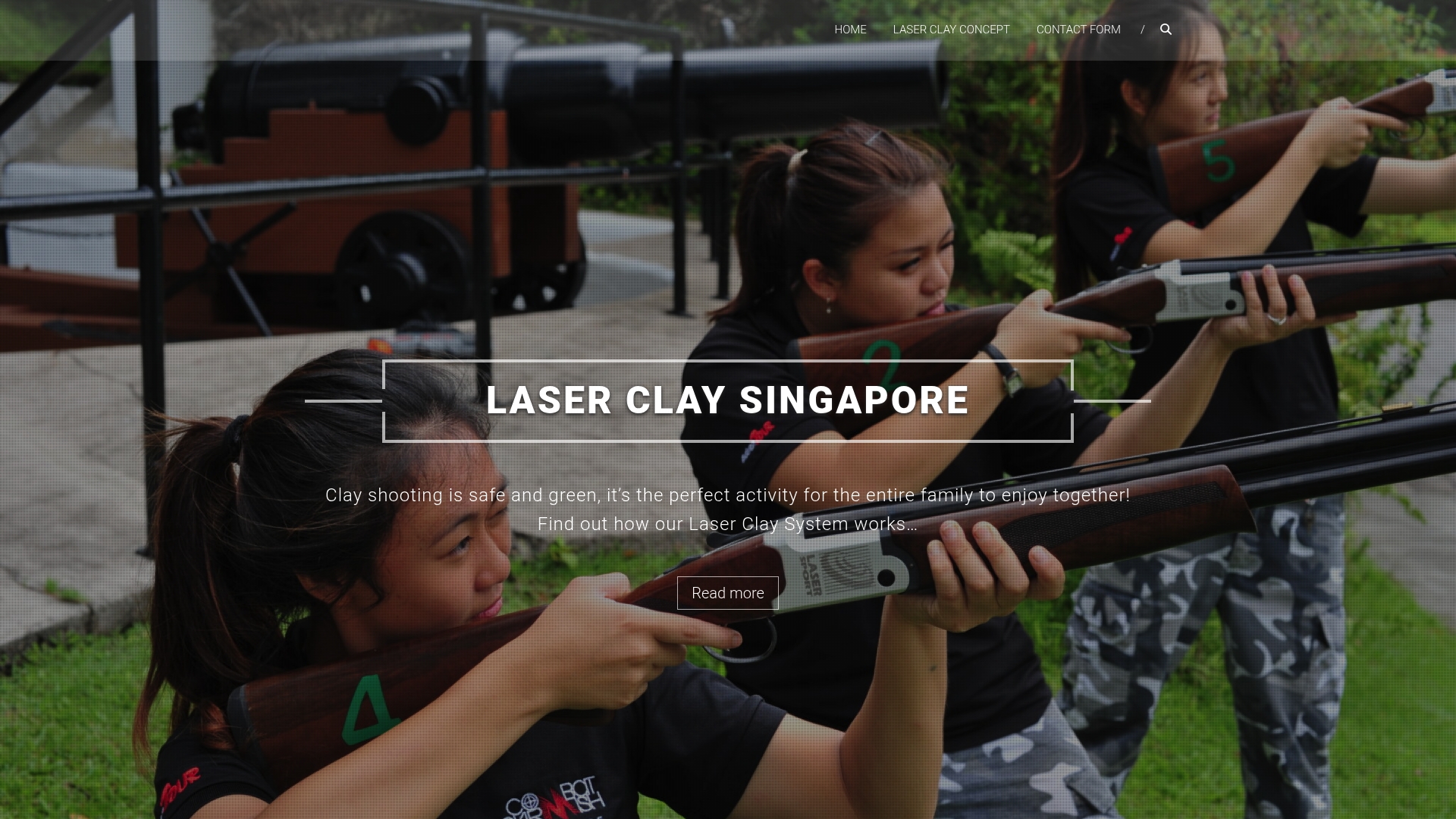
Laser clay shooting works as a case study precisely because it separates skill from participation. The equipment uses sound-simulated, deactivated shotguns and electronic targets, so there’s no live ammunition, no recoil to manage, and no prior shooting experience required. That removes the two biggest physical barriers that keep people from trying clay shooting in the first place.
Because scoring runs through a real-time electronic scoreboard, roles split naturally across a session: someone shoots, someone scores, someone coaches on stance and aim, and someone observes and calls out encouragement. Nobody has to be “the shooter” the entire time, and rotating those roles every few rounds means confidence and physical strength stop being the entry ticket to enjoying the session. It also suits indoor venues, which matters for teams juggling weather, air quality, or limited outdoor space.
A few adjustments make a booked session more inclusive in practice:
- Run the first round at a deliberately slower pace so people unfamiliar with the format can watch before shooting.
- Assign roles explicitly at the start rather than leaving people to volunteer under peer pressure.
- Set up a quiet observation area slightly apart from the shooting line for anyone who wants distance from the noise or crowd.
- Brief the facilitator to rotate roles every two or three rounds so no one gets stuck exclusively as spectator.
Pro Tip: Ask your facilitator in advance to run a “no-score” practice round before the scored session starts. It takes the pressure off first-timers and tends to lift overall engagement once the real rounds begin.
Author perspective: what planners miss and quick rules to follow
The biggest mistake in inclusive team building isn’t a lack of good intentions. It’s designing for an imagined “average” employee who doesn’t actually exist on any real team. I’ve seen planners spend weeks perfecting a scavenger hunt’s puzzle difficulty while never once asking whether anyone on the team struggles with rapid verbal instructions. Co-creation fixes this faster than any accessibility audit, because the people affected by a gap are usually the first to spot it, long before it becomes a visible problem on the day.
One pattern worth internalising: the fix is rarely dramatic. Swapping a shouted trivia round for a chat-based one, or adding a five-second pause before moving to the next speaker, costs nothing and changes who actually gets to contribute. Inclusion in this context is design work, not sentiment.
Three rules I’d hand to any planner starting from scratch:
Default to options, not exceptions. Multiple participation pathways should be built into the activity from the start, not offered reluctantly when someone asks.
Brief your facilitators like it’s the main event. A well-run activity with a poorly briefed facilitator will exclude people anyway; facilitation training matters more than activity choice.
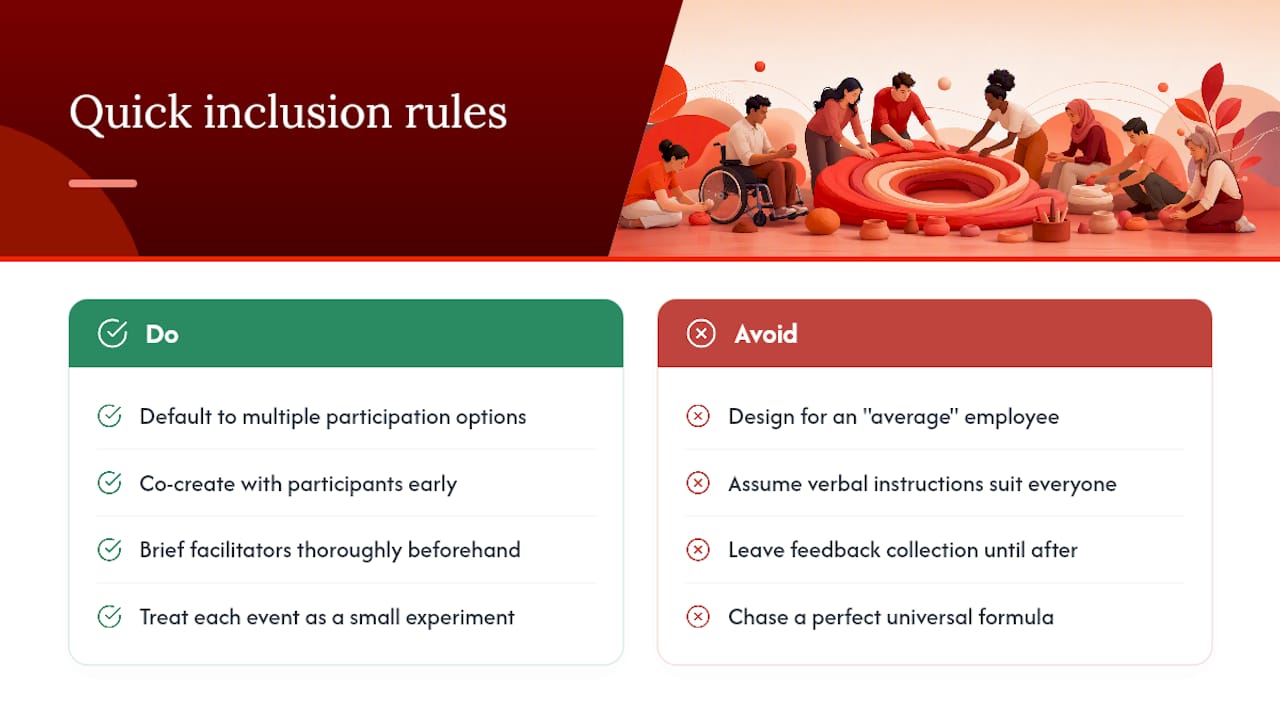
Build the feedback loop before you need it. Decide how you’ll gather and act on feedback before the event happens, not after someone raises a concern you weren’t ready for.
Treat every event as a small experiment. Change one thing, measure it, keep what works. That’s a far more honest approach than chasing a perfect, universal formula that doesn’t exist.
— Joshua
How do you book Laser Clay for an inclusive team event?
If your team needs an activity that gives everyone a real way in, regardless of fitness level, prior experience, or confidence with a crowd, Laser Clay is built for exactly that brief. It fills the gap between high-energy physical activities that exclude less mobile colleagues and passive icebreakers that never quite get people talking: everyone gets a role, the barrier to entry is close to zero, and the novelty factor does the rest.
When you enquire, ask directly about accessibility needs (seating at the shooting line, step-free access, quiet observation space), whether the setup works indoors or outdoors at your venue, expected group size, and what facilitation support is included. These are the same questions the planning checklist above asks you to answer for any activity, and a good provider should answer them without hesitation.
Full formats and role options are laid out on the how to play Laser Clay page, and corporate groups can check facilitation, group sizing, and package details on the corporate team building page. Get in touch with your group size and any accessibility requirements, and a session can be shaped around your team rather than the other way round.
Sources
- PMC article on team inclusivity and wellbeing
- Gender in a Box (Council of Europe)
- CIPD — people practice resources
FAQ
What makes a team building activity truly inclusive?
An activity is inclusive when it offers multiple ways to contribute, verbal, written, active, or observing, so no single ability or personality type is required to participate fully.
How do you include introverted or remote employees in team building?
Give every activity a written or asynchronous contribution option, default to cameras-off for virtual sessions, and assign specific roles in advance rather than relying on people to volunteer.
How do you prevent microaggressions during team activities?
Brief facilitators to spot patterns like one person being repeatedly interrupted or steered away from certain tasks, and give them a script for redirecting attention fairly without singling anyone out.
Is laser clay shooting suitable for people with no shooting experience?
Yes, laser clay shooting uses sound-simulated equipment with no live ammunition or recoil, and sessions typically rotate roles between shooter, scorer, and coach, so prior experience isn’t needed.
How often should companies run inclusive team building events?
A quarterly cadence works well for most organisations, giving enough time to act on feedback from one event before planning the next.
What’s the first step in planning an inclusive event?
Send an anonymous accessibility and needs survey before choosing activities, then invite a small group to co-create the final agenda.