

Pick a short, low-movement game that matches your time, space and inclusivity needs, and you will get better engagement than any elaborate event. Three categories cover almost every situation: quick in-person games for a five to fifteen minute slot, low-movement options for mixed-mobility or reserved teams, and remote or asynchronous formats for distributed groups. Facilitation and safety guidance follow, so you can run any of them properly.
TL;DR:
- Short in-person games under 15 minutes, such as two truths and a lie or charades, require minimal setup and can fit into limited office time.
- Low-movement games like trivia and story chains help include participants with mobility or sensory needs, emphasizing team scoring over individual performance.
- Remote or asynchronous games, including photo challenges and micro-quizzes, can be scheduled flexibly and work across different time zones.
- Proper facilitation involves confirming group sizes, ensuring accessible options, setting clear rules, and conducting quick debriefs to reinforce teamwork behaviors.
- Safety and accessibility require risk assessments, clear communication of accommodations, and offering roles like scorekeeping for shy or mobility-challenged participants.
Table of Contents
- Quick in-person games that run in under 15 minutes
- Low-movement and inclusive office games
- Remote and asynchronous games for hybrid teams
- How to run a short office game well
- Safety, risk control and accessibility for office activities
- Research-backed guidance: which game designs deliver teamwork gains
- What ten years of running office events taught me
- How Laser Clay can help with facilitated corporate games
- Sources
- FAQ
Quick in-person games that run in under 15 minutes
Short games work because they respect people’s schedules and rarely need a briefing longer than the activity itself. Each of the following needs minimal kit, a spare room or open floor space, and one person willing to keep time.
- Two truths and a lie: groups of four to eight, no space or materials needed, zero setup, each person shares three statements about themselves while colleagues guess the false one.
- Desert island team challenge: teams of three to six, a table or corner of a room, pen and paper only, groups rank ten survival items and compare logic in two minutes.
- Charades (office edition): groups of six to ten, an open area with sightlines to the performer, a hat and slips of paper listing work-safe prompts (film titles, animals, everyday tasks).
- Human bingo: any group size, works at desks or standing, printed bingo cards with prompts like “has travelled to three countries,” five minutes to mingle and tick boxes.
- 60-second scavenger hunt: teams of two to four, works within one floor of an office, a printed list of ten items (a red pen, a company mug, a plant), first team back with the most items wins.
- Would you rather, rapid round: any group size, no materials, one person reads out ten paired questions and the room votes with a show of hands.
For a smaller huddle, run charades in pairs instead of teams so shy participants get a partner rather than a solo turn under attention. For a larger office, split into four or five teams and rotate through two games back to back so energy does not dip.
Pro Tip: Set a visible timer for every round; a countdown on a shared screen keeps games moving and stops one enthusiastic team from hogging the floor.
Room layout matters more than most managers expect. A cramped space with trailing cables or stacked chairs turns a fun scavenger hunt into a trip hazard, so clear a path before anyone starts moving. If your office has an open-plan floor, warn neighbouring desks that a short burst of noise is coming: it avoids the awkward moment when someone’s video call picks up cheering from three rows over.
Materials are deliberately minimal across this list because the point is speed, not production value. A printed bingo card or a hat of charades prompts takes five minutes to prepare and can be reused indefinitely, which matters if you are running one of these every Friday afternoon.
Low-movement and inclusive office games
Not every team wants to stand up and perform in front of colleagues, and some participants cannot due to mobility, sensory needs or simple preference. Low-movement games remove the physical barrier and, done well, remove the social pressure too.
- Desk-based trivia: teams answer from their seats using a shared document or chat channel, no one needs to speak aloud unless they choose to.
- Silent brainstorm sprint: everyone writes ideas on sticky notes for three minutes before any discussion starts, which protects quieter contributors from being talked over.
- Team crossword or puzzle relay: one puzzle projected on a screen, teams take turns suggesting answers without needing to move from their chairs.
- Story chain: seated in a circle or over a shared document, each person adds one sentence to a collaborative story, opting to pass if they prefer.
- Colour and sketch challenge: small groups sketch a concept (their ideal project, a company value) on paper at the table, then explain it briefly.
The critical design rule here is no forced disclosure and no public elimination. A game that asks people to reveal personal details in front of the whole office, or that knocks individuals out one by one while colleagues watch, creates exactly the kind of social risk these formats are meant to avoid. Build in an opt-out: someone can act as scorekeeper, timer or note-taker instead of playing, and that role counts as full participation.
Scoring works best when it rewards the team rather than the fastest individual. A shared point pool, where every correct answer from any member adds to one collective total, keeps the less confident half of the room engaged instead of watching a single colleague dominate. Small prizes work better as team rewards too: a round of coffees for the winning group lands better than a single trophy for one star performer, and it avoids the awkwardness of ranking colleagues against each other in front of the room.
Remote and asynchronous games for hybrid teams
Distributed teams need formats that do not depend on everyone being online at the same moment. A live 15-minute virtual game works for a single time zone, but a team split across regions needs something that runs on its own schedule.
- Async trivia over 24 hours: post five questions in a shared channel at the start of the day, anyone answers whenever they log in, and results post the next morning.
- Photo challenge relay: a daily prompt (“show your workspace view,” “share your lunch”) posted in a chat channel, no live call required.
- Live virtual charades or Pictionary: a video call, a shared whiteboard tool, ten minutes, works well for a single time zone group of six to twelve.
- Micro-quiz drops: a single question posted mid-morning and mid-afternoon in a team channel, answered in a thread, takes seconds per person.
- Virtual scavenger hunt: a list of household or desk items, participants find them on camera within a two-minute limit during a call.
A 15-minute live virtual game needs the same discipline as an in-person one: a host who keeps time, a clear rule set shared before the call starts, and a scoring method visible to everyone on screen. A 24-hour async quiz needs slightly different handling: post the questions once, set a clear deadline, and resist the urge to nudge people repeatedly, since the format’s whole appeal is that nobody has to drop what they are doing.
Micro-games and daily puzzles that live inside collaboration platforms fit naturally into these rhythms, and marketplace listings for tools such as Guul describe scheduled quizzes and leaderboards built for exactly this kind of asynchronous play. Similar functionality appears in trivia and virtual coffee apps that run scheduled quizzes and self-paced formats inside everyday chat tools, which matters for teams that do not want to add another piece of software to their day. Whichever tool you use, the format matters more than the platform: a simple shared document does the same job as a dedicated app if the team is small.
How to run a short office game well
A good game badly run feels worse than no game at all. Facilitation is where most of the value gets made or lost, and it takes less effort than people assume.
Before the session starts, work through a short checklist:
- Confirm numbers and grouping so teams are roughly even and no one is left standing alone.
- Check the room or virtual space: enough room to move safely, clear sightlines, no trip hazards, working screen share or projector.
- Ask whether anyone needs an accessibility accommodation, a seated option or a quieter role, and offer it without singling the person out.
- Lay out equipment and materials in advance so the game starts on time rather than five minutes late while someone finds a pen.
- Identify who is responsible for the space and who handles a minor injury or technical hitch if one comes up.
Once the game is running, keep a simple structure: a thirty-second explanation of the rules, a visible countdown, one role rotation if the game runs more than one round, and a scoring method everyone can see. Rotating roles, such as timer, scorekeeper or reader, spreads participation and gives quieter team members a defined job instead of leaving them to hover at the edge.
The debrief is the part most managers skip, and it is the part that actually connects the game to workplace behaviour. Two or three questions do the job: what worked well as a team, what would you do differently, and did anything here remind you of how we work day to day? Keep it to two minutes; a long post-mortem after a five-minute game defeats the point.
Pro Tip: Ask the debrief questions before anyone leaves the room or drops off the call; momentum fades fast once people are back at their desks.
To measure whether it worked, look for short-term signals rather than trying to prove a return on investment from one session: did people who rarely speak up in meetings contribute, did the room laugh or relax visibly, did anyone mention the game in passing later that week. A low-risk team building playbook built around five-minute formats is a useful reference if you want a repeatable weekly structure rather than a one-off event.
Safety, risk control and accessibility for office activities
Office games are low-risk compared with most team activities, but low-risk is not the same as no-risk, and skipping the basics is how a fun afternoon turns into an incident report.
- Run a basic risk assessment before any activity that involves movement: check the floor for trip hazards, confirm exits are clear, and remove furniture that could cause a collision.
- Record the person responsible for the space in your booking brief, along with first-aid arrangements and any required signage.
- Ask participants in advance whether they have mobility, sensory or cultural concerns that the game should accommodate, and build in an opt-out that carries no penalty.
- For louder or more physical games, warn neighbouring teams or floors so noise does not disrupt calls or meetings elsewhere in the building.
- Keep a simple incident note ready (who, what, when) in case anything needs following up afterwards, even for something as minor as a stubbed toe.
Event-management guidance frequently used across the region recommends formal risk assessment and control measures for physical activities. The Singapore WSH Council’s event-management guidance frames this as standard practice: assess the risk, put in place adequate controls, brief and supervise participants properly, and have an emergency-response plan ready before the activity starts. Folding these checks into your booking brief, rather than treating them as an afterthought, is what separates a smooth afternoon from a scramble when something goes wrong.
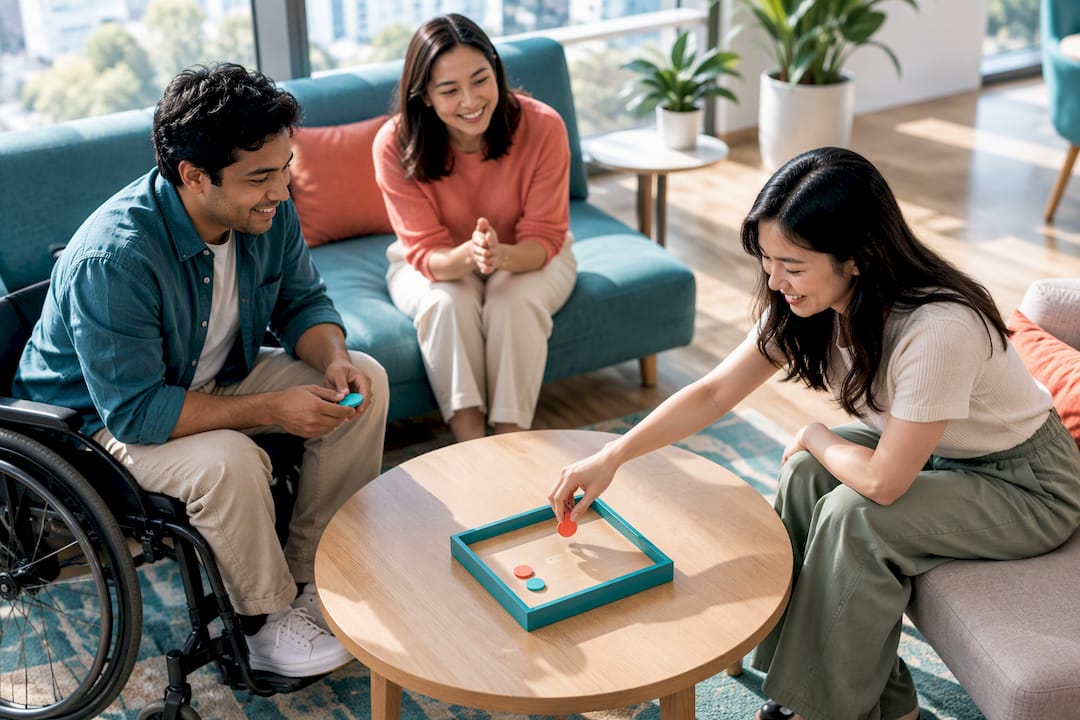
Accessibility deserves the same upfront attention as physical safety. A scavenger hunt that requires running up three flights of stairs excludes anyone with a mobility limitation, and a game built entirely around loud verbal performance can exclude neurodivergent colleagues or those less confident in the group’s dominant language. Offering a seated, scoring or observing role alongside the main activity means everyone can contribute on their own terms.
Research-backed guidance: which game designs deliver teamwork gains
The evidence on workplace games is more specific than “fun boosts morale.” A randomised controlled trial on team video gaming found that performance gains come from flow, the state where challenge and skill are closely matched, rather than from enjoyment alone. A mismatched game, where one team is clearly outclassed, kills that effect fast, which is why balancing team strength matters more than picking the flashiest format.
A 2024 study published in PLOS One examining 580 employees found links between psychological safety and better communication and innovation behaviours at work. The practical takeaway is to design games that practise the exact behaviour you want more of, such as clear communication or shared decision-making, and to debrief on that specific behaviour immediately afterwards rather than leaving the connection implicit.
A gamification-based randomised controlled trial published in Frontiers involving 250 working adults reported stronger team effectiveness and cohesion after structured, team-based play, with cohesion explaining much of the improvement.
Reward teams rather than fastest individuals: structured, low-risk interaction sustains inclusive engagement far better than formats that spotlight a single winner.
Facilitated formats echo these design principles directly: rotating roles, team-based scoring, and a structured debrief that ties play back to real communication habits.
What ten years of running office events taught me
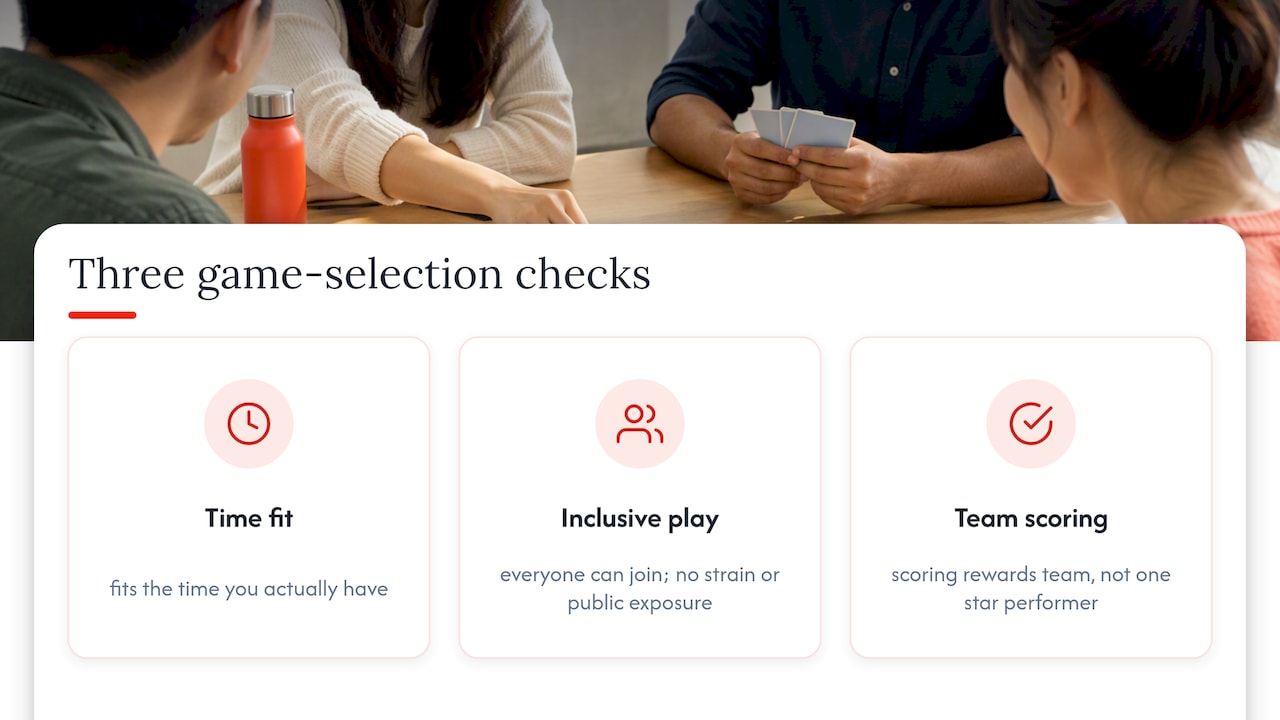
Pick a game with three checks: does it fit the time you actually have, can everyone in the room take part without physical strain or public exposure, and does the scoring reward the team rather than one star performer. If all three answers are yes, run it yourself with a simple printed list and a phone timer.
Where DIY starts to strain is scale and format variety. A group of eight around a desk can run a solid quick game with almost no planning. A group of eighty, split across departments who barely interact, usually gets more out of a facilitated format with proper equipment, built-in scoring, and someone experienced running the room, because the coordination overhead grows faster than most managers expect.
The honest answer is that both approaches work, and the choice comes down to group size, available time, and how much you want the outcome to look and feel deliberately produced rather than improvised on a Friday afternoon.
— Joshua
How Laser Clay can help with facilitated corporate games
If your team has outgrown desk-based trivia and wants a format with genuine stakes, a facilitated laser clay session gives you competitive play without the safety concerns of live ammunition. Laser Clay uses sound-simulated deactivated shotguns and reusable eco-friendly clay targets, so there is no lead and no noise pollution, and the activity suits participants aged 10 and up regardless of shooting experience.

- Facilitators run the full session, from safety briefing to scoring, so your team turns up and plays rather than managing logistics.
- Games are customisable for competitive leaderboards or a more relaxed social format, indoors or outdoors.
- Equipment and setup are handled end to end, which matters for larger groups where DIY coordination gets complicated fast.
For a group that wants more structure than a scavenger hunt but less commitment than an outdoor sports day, the Corporate Laser Clay Package runs at 69 SGD per person and includes facilitation, scoring and equipment. Teams that want to run their own session at a chosen venue can look at System Rental instead. Get in touch through the contact page to check dates and group sizes.
Sources
- PLOS One (2024) — psychological safety and team communication
- Frontiers (2022) — serious-play randomized controlled trial
- Team video games randomized trial (PMC)
FAQ
What are fun office games to play?
Short games like two truths and a lie, desk-based trivia and human bingo work well because they need little setup and fit into a break. Choose based on how much space and movement your team is comfortable with rather than picking the most elaborate option available.
What games can be played in the office?
Anything from quiet, seated formats like silent brainstorming and story chains to more active options like charades and scavenger hunts, depending on your space and group size. Low-movement games work better for mixed-mobility teams or quieter personalities, while active games suit teams with more open floor space.
What are 10 indoor games?
A solid indoor list includes two truths and a lie, charades, human bingo, desk-based trivia, a scavenger hunt, would you rather, a silent brainstorm sprint, a story chain, a colour and sketch challenge, and a team crossword relay. Most of these run in under 15 minutes with minimal materials.
What are some fun activities for the office?
Beyond quick games, facilitated activities like a laser clay session give teams a structured, competitive format with proper scoring and a safety briefing built in. These suit larger groups or occasions where a manager wants something more produced than a five-minute desk game.
How do I make sure office games are inclusive?
Offer a seated, scoring or observing role alongside the main activity so no one is forced to perform or move if they would rather not. Reward teams as a whole instead of individual winners, and always check for accessibility or cultural concerns before the session starts.