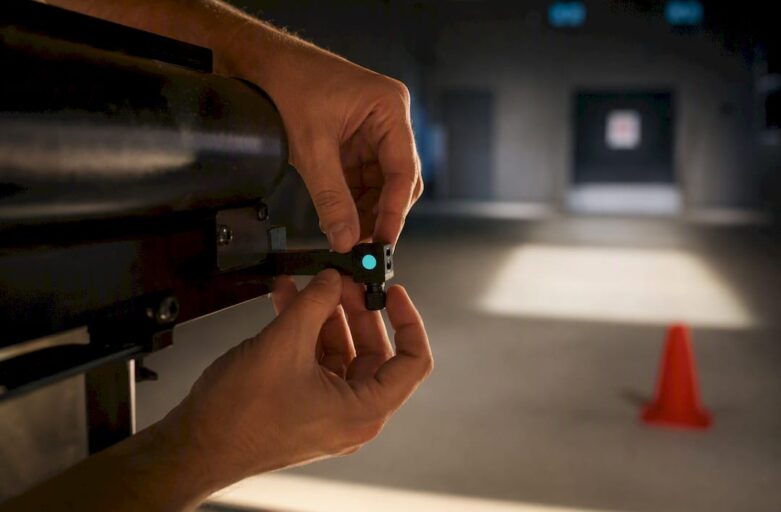
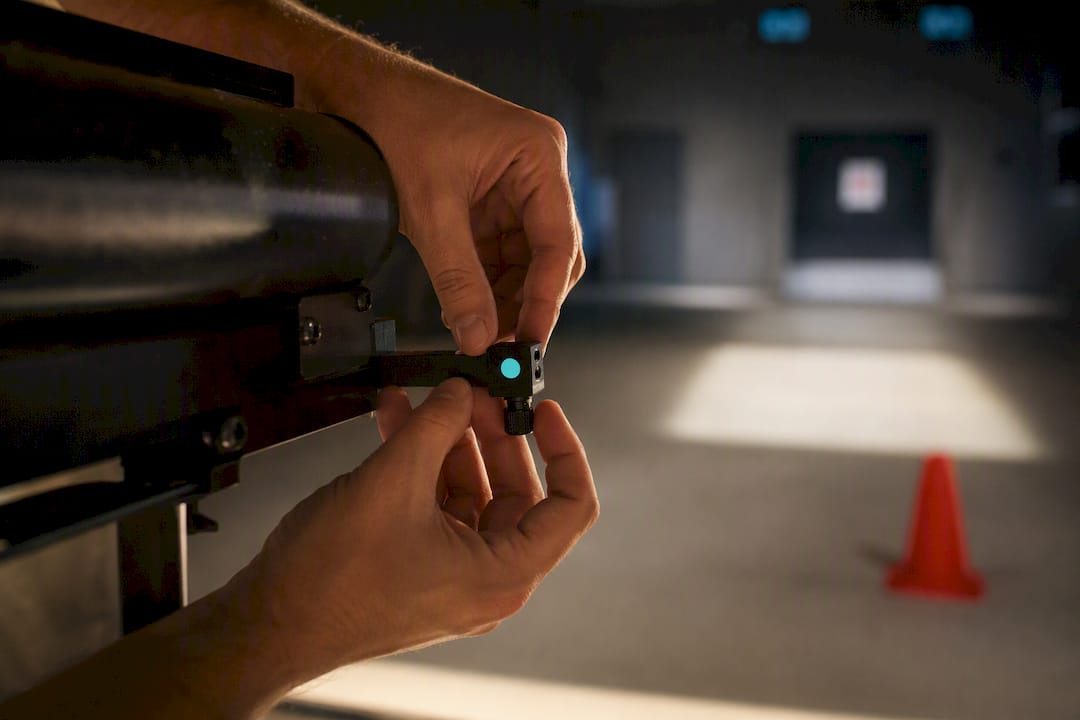
A laser clay shooting session needs either an outdoor grass area approximately within a range of lengths and widths compatible with typical launcher configurations, or an indoor room with a wall a few metres wide, and a shooter clearance distance around a few metres. Whichever surface you choose, three things are non-negotiable: a controlled landing zone with no public access, a trained facilitator on site throughout, and proof of public liability insurance from your supplier. Get those three right and the rest of the setup is largely a matter of kit and timing.
TL;DR:
- Outdoor venues require a minimum footprint of approximately 40 meters by 20 meters, with measurements of the longest clear run and narrowest width crucial for safety and setup.
- Indoor setups need a wall or screen of at least 3 to 5 meters wide, with ceiling heights of 2.4 to 3 meters and shooter distances of about 2 to 2.5 meters for optimal calibration.
- A safe range must have a controlled landing zone inaccessible to the public, with at least one trained facilitator per firing line and proof of public liability insurance from the supplier.
- Equipment relies mainly on battery power for guns, but projectors and scoreboards generally require mains or high-capacity batteries; calibration involves laser-target alignment and test rounds before participants arrive.
- Effective booking includes a site visit or check, pre-session calibration, and clear participant protocols, with consideration for weather, lighting, and ground conditions to ensure safety and performance.
Table of Contents
- Site and space requirements for laser clay setup
- Equipment and power needs for a laser clay setup
- Safety and insurance checks before booking
- Staffing and session timing for group events
- How do you calibrate and test a laser clay setup?
- Age, height and accessibility guidance for participants
- Quick-spec checklist for site managers
- Environmental considerations and weather impact on laser clay setup
- Network and software connectivity requirements
- Storage and transportation recommendations for equipment
- Maintenance and troubleshooting guidelines for setup components
- The planner’s honest trade-off: throughput versus spectacle
- Book a site check before you commit to a date
- Where to check the technical specifications yourself
- Sources
- FAQ
Site and space requirements for laser clay setup
Space is the first thing to check, and the honest answer is that it varies by launcher configuration. Outdoor providers commonly quote footprints within a range of lengths and widths depending on launcher configurations, so measure your longest unobstructed stretch of grass before you assume a site will work, according to Altitude Events’ operational range guidance. Indoors, the requirement shrinks considerably: a projection wall of 3 to 5 metres wide with shooters standing 2 to 2.5 metres back, plus a matte surface and dimmed lighting for accurate target detection, per DryFire’s setup guide. Separate guidance from TrueClays suggests ceiling heights of 2.4 to 3.0 metres for short-throw projector rigs, which matters if your venue has low beams or hanging light fixtures.
Before contacting a supplier, walk the site and check these points:
- Measure the longest clear run, then the width at its narrowest point, not just the widest.
- Note any slope: launchers throw clays further downhill, which shrinks your effective safety margin.
- Identify the surface: grass, hard standing, or an indoor floor, since this affects stand placement and cabling.
- Check for permanent obstructions (trees, goalposts, pillars) inside the flight path.
- Confirm you can physically restrict public or pedestrian access to the landing zone during the session.
Record all five and hand them to your supplier. It saves a wasted site visit.
Equipment and power needs for a laser clay setup
Most suppliers arrive with the bulk of the kit, but you should still know what’s coming and what you might need to provide. A typical laser clay setup includes deactivated, sound-simulated shotguns, launcher units or laser targets, an electronic scoreboard, a PA or sound system, and stands or tripods to hold everything steady on uneven ground.
- Guns: battery-powered, recoil-free, no cartridges or protective eyewear required.
- Launchers or laser targets: outdoor rigs use physical launchers; indoor rigs project targets onto a screen.
- Scoreboard: electronic, usually battery-powered but sometimes wired for reliability at longer bookings.
- Sound system: replicates the shotgun blast and adds atmosphere; check whether it needs mains power.
- Stands and tripods: for uneven grass or temporary indoor rigs.
Statistic to note: outdoor gun systems are typically battery powered and can run independently of mains electricity, but projectors and larger scoreboards usually need a mains supply or a high-capacity battery pack, per Altitude Events. For indoor rooms, ask specifically about projector throw distance and minimum lumen output, since a dim projector washes out badly under normal office lighting.
Safety and insurance checks before booking
Range layout is where most setup mistakes happen, and it’s also where the biggest liabilities sit. A safe laser clay range separates three distinct zones: the firing line where shooters stand, the clay flight path where the target travels, and the landing area beyond it. Guidance from the Scouts’ activity pages is blunt on this point: public access must be prevented from the flight and landing zone entirely, not just discouraged with a rope, as outlined in their laser clay pigeon shooting guidance.
Before you sign off on a venue, run through this:
- Confirm the facilitator-to-participant ratio; one trained supervisor per firing line is standard, with additional staff for groups over ten.
- Request the supplier’s public liability insurance certificate and a written risk assessment for your specific site.
- Ask for equipment maintenance records, particularly for battery packs and sound units.
- Set participant protocols in advance: no alcohol before or during shooting, supervised handling only, and a clear emergency stop procedure everyone understands.
- Walk the exclusion zone with the facilitator before the first shot is fired.
Pro Tip: Ask your supplier whether their guns require protective gear. A properly designed laser system shouldn’t, and if a provider says yes, that’s worth questioning before you book.
Staffing and session timing for group events
Facilitator numbers and session length decide how many people you can rotate through in a fixed booking window, and getting this wrong is the most common scheduling mistake planners make. Smaller groups move fast; larger ones need structured heats.
As a rough benchmark:
- Groups of 1 to 6 shooters: around 30 minutes per session.
- Groups of 8 to 10: around 45 minutes.
- Groups of 11 to 20: around 60 minutes, usually split into heats with a break between rounds.
Set-up and pack-down typically takes 45 to 90 minutes depending on site access and how much kit needs carrying, per supplier estimates from Altitude Events. Factor that into your venue booking window on both ends, not just the activity slot. For larger corporate days, structure the schedule around heats with visible scoreboards between rounds and a short award moment at the end. That’s often what makes the session feel like an event rather than a queue for a turn on the gun. Our guide to laser clay event formats covers heat structures for bigger corporate groups in more detail.
How do you calibrate and test a laser clay setup?
Calibration follows a fixed sequence, and skipping steps is how most on-the-day faults happen. Start with muzzle alignment: mark the shooter’s “straight ahead” position using two Post-it notes, one at eye level and one at the target, then measure and adjust until the laser hits dead centre, a method DryFire recommends precisely because it needs no specialist tools and any facilitator can repeat it.
The correct testing order is:
- Test the laser-target link first, with no projection running, to confirm the gun registers hits accurately.
- Bring the projection or physical launcher online second, once the laser calibration is confirmed clean.
- Check the sound system syncs with each shot, not just plays generically in the background.
- Fire two or three test rounds per gun before participants arrive, watching for hits registering off-centre or delayed sound cues.
Sign-off checklist: guns calibrated and tested, projection or launcher aligned, sound synced, exclusion zone confirmed, insurance and risk assessment on file. Five items, five minutes, and you avoid the awkward pause mid-session when a gun starts registering false hits.
Age, height and accessibility guidance for participants
Providers commonly list eight years old as the absolute minimum age for laser clay shooting, but 12 and above is the more realistic recommendation for comfortable handling, since gun weight and grip size are the limiting factor rather than the technology itself, according to BreakOne’s participant guidance. Below that age, comfort and accuracy both drop off fast.
- Offer a seated or supported stance for participants with limited mobility or reduced grip strength.
- Brief anyone with visual impairment separately; laser detection relies on clean sightlines, so positioning matters more than usual.
- Include footwear and clothing notes in pre-event emails: closed shoes for outdoor grass sessions, nothing loose that could catch on stands.
- Flag any medical conditions affecting balance or reaction time during registration, not on the day.
Pro Tip: Run a five-minute practice round for under 16s before scoring starts. It fixes most stance and grip issues before they cost anyone their turn.
Quick-spec checklist for site managers
Print this and hand it to a venue manager before a site visit; every figure below comes from supplier and manufacturer specifications rather than guesswork.
| Setup element | Minimum | Recommended |
|---|---|---|
| Outdoor footprint | around 40 metres by 20 metres minimum | more generous sizes recommended |
| Indoor wall/screen width | a few metres | wider walls recommended |
| Indoor ceiling height | typical room height supportive of short-throw projectors | higher ceilings recommended |
| Shooter distance (indoor) | a couple of metres | longer distances preferred |
| Power | Battery (guns) | Mains (projector/scoreboard) |
| Set-up time | around one hour typical | longer setup times possible |
| Facilitator ratio | one trained supervisor per firing line | additional staff for larger groups recommended |
Environmental considerations and weather impact on laser clay setup
Outdoor laser clay is more weather-tolerant than live ammunition shooting, but it isn’t weather-proof. Wind above a moderate gust speed affects clay flight trajectories on physical launcher systems, which throws off scoring consistency even though nobody is at risk from stray shot. Rain is more forgiving than most planners expect, since the guns and scoreboards are typically weather-resistant, but standing water on the landing zone turns it into a slip hazard for anyone retrieving equipment.
Direct sunlight causes a different problem entirely for indoor-adjacent setups: any projection-based system needs dimmed ambient light to register targets cleanly, so a marquee or gazebo with open sides on a bright afternoon can wash out the projected clay just as badly as a poorly lit indoor room washes out a screen. If you’re running a hybrid outdoor tent setup, check the light levels at the actual time of day your session runs, not at the site visit the week before.
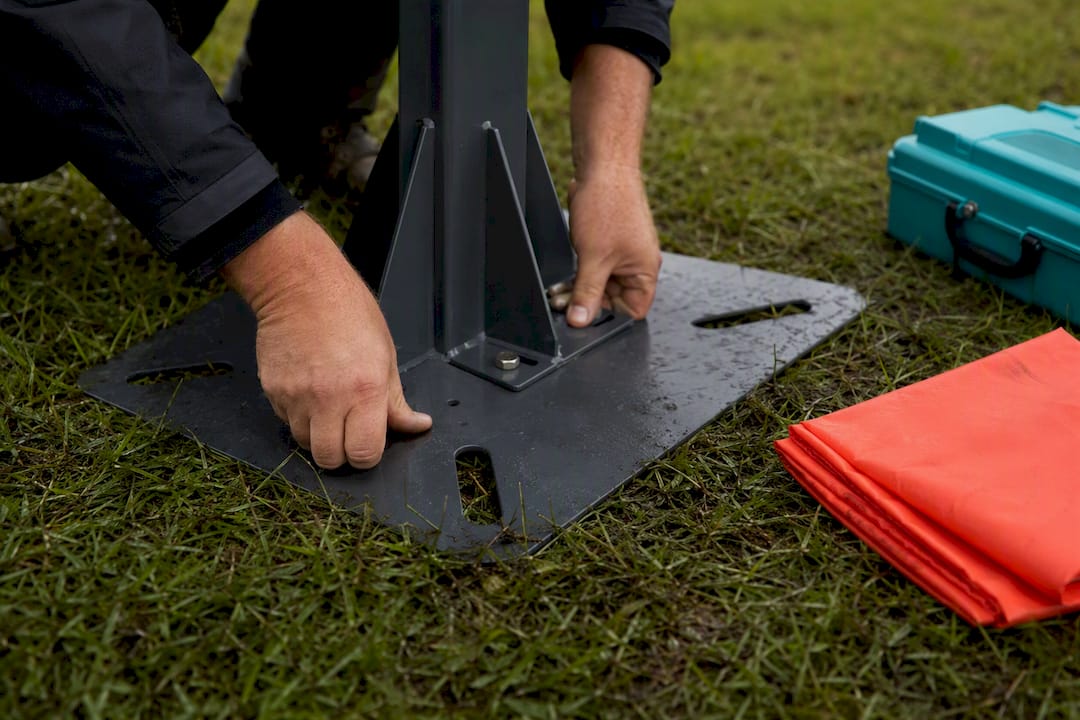
Temperature matters less than most planners assume, though battery performance on colder mornings can run slightly shorter than advertised, which is worth building a small buffer into your schedule for. Ground conditions after heavy rain are the bigger practical issue: soft or waterlogged grass makes stands unstable and can shift launcher alignment mid-session. If your venue has flooded in the past three months, ask the supplier whether they carry ground-stabilising plates or an indoor backup plan for the same booking.
Network and software connectivity requirements
Most laser clay systems run largely self-contained, but a handful of components do rely on connectivity, and it’s worth knowing which before assuming your venue’s Wi-Fi is relevant at all. Electronic scoreboards typically operate on a closed local connection between the scoring unit and the gun sensors, not the venue’s internet, so a weak Wi-Fi signal in a function room usually isn’t the problem it sounds like.
Where connectivity does matter is with digital scoring displays that sync to a screen or projector for live leaderboards during corporate events. These generally need a stable local network, either a dedicated router the supplier brings or a wired connection at the venue, since public Wi-Fi networks with captive login pages tend to interrupt real-time score syncing mid-session. If your event includes live-streamed scores to a separate screen for spectators, flag this to your supplier in advance so they can bring dedicated hardware rather than relying on venue infrastructure.
Firmware updates on gun sensors and launcher units happen before the equipment leaves the supplier’s warehouse, not on site, so there’s no expectation that your venue needs to support software updates during the booking. The practical question to ask your supplier is simple: does any part of this system need my venue’s internet connection to function, and if so, what happens if that connection drops mid-session? A reliable operator will have a fallback answer ready.
Storage and transportation recommendations for equipment
Laser clay equipment travels well compared with live-fire alternatives, largely because there’s no ammunition, cartridges, or hazardous materials to transport under separate regulations. Guns, launchers, and scoreboards typically pack into padded cases sized for a standard van or estate car, which is part of why suppliers can service venues with limited loading access.
Battery packs are the one component worth asking about specifically, since lithium battery transport does carry its own handling rules depending on capacity, and a supplier moving equipment between multiple bookings in a single day needs charged spares on hand rather than relying on a single set running flat between sessions. If your event runs back-to-back with another booking elsewhere, ask how the supplier manages battery rotation across the day.
For storage between events, equipment kept in cases away from direct moisture and extreme temperature holds calibration far better than kit left assembled or exposed to humidity swings. This matters most for venues running laser clay as a recurring fixture rather than a one-off booking. If you’re considering a permanent or semi-permanent installation for a camp or recurring corporate programme, ask your supplier whether they offer on-site storage solutions or whether equipment needs to travel in and out for every session. It’s a detail that changes your logistics planning considerably if you’re running weekly or monthly sessions rather than a single event.
Maintenance and troubleshooting guidelines for setup components
Most on-the-day faults trace back to one of three components: battery charge, sensor alignment, or sound sync, and knowing the symptoms saves you a panicked call to the supplier mid-session. A gun registering hits inconsistently or not at all usually points to either a depleted battery or a knocked alignment, the same alignment issue the Post-it calibration method fixes in a couple of minutes.
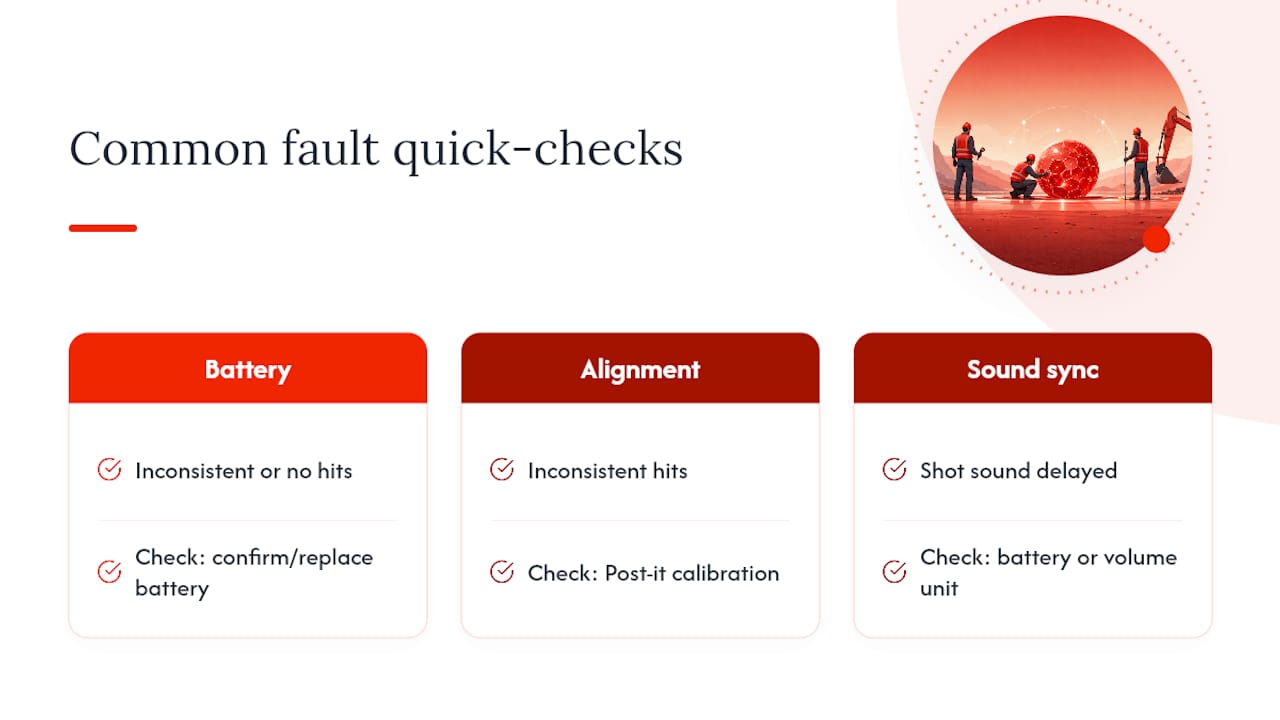
Scoreboards that freeze or lag typically indicate a connectivity drop between the scoring unit and the gun sensors rather than a hardware fault, and restarting the local connection resolves most of these without needing to reset the entire system. Sound systems that fall out of sync with the shot, where the bang plays a beat late, are almost always a battery or volume-unit issue rather than anything wrong with the gun itself.
Routine maintenance sits with the supplier rather than the venue, and this is precisely why asking for equipment maintenance records before booking matters: a well-maintained fleet of guns and launchers rarely fails mid-session, while poorly serviced kit fails at the worst possible moment. Ask specifically when batteries were last replaced and how often sensors are recalibrated between bookings. A supplier who answers that question fluently, with real numbers, is one who treats maintenance as routine rather than reactive.
The planner’s honest trade-off: throughput versus spectacle
Every laser clay setup forces a choice: prioritise throughput (more shooters through faster) or spectacle (bigger space, longer sightlines, more drama per shot). Outdoor setups win on spectacle where space allows; indoor projection wins on throughput and weather certainty. A capable provider adapts launcher orientation and screen placement to fit awkward or undersized sites rather than insisting on ideal dimensions, which is often the difference between a booking that happens and one that gets cancelled over a car park that’s slightly too short.
— Joshua
Book a site check before you commit to a date
Laserclay handles the entire technical side of the checklist above: equipment, calibration, trained facilitators, and the insurance documentation venue managers ask for. Rather than measuring your site yourself and hoping it clears the minimum footprint, you can request a site check and have someone confirm feasibility before you commit to a date or a venue deposit.
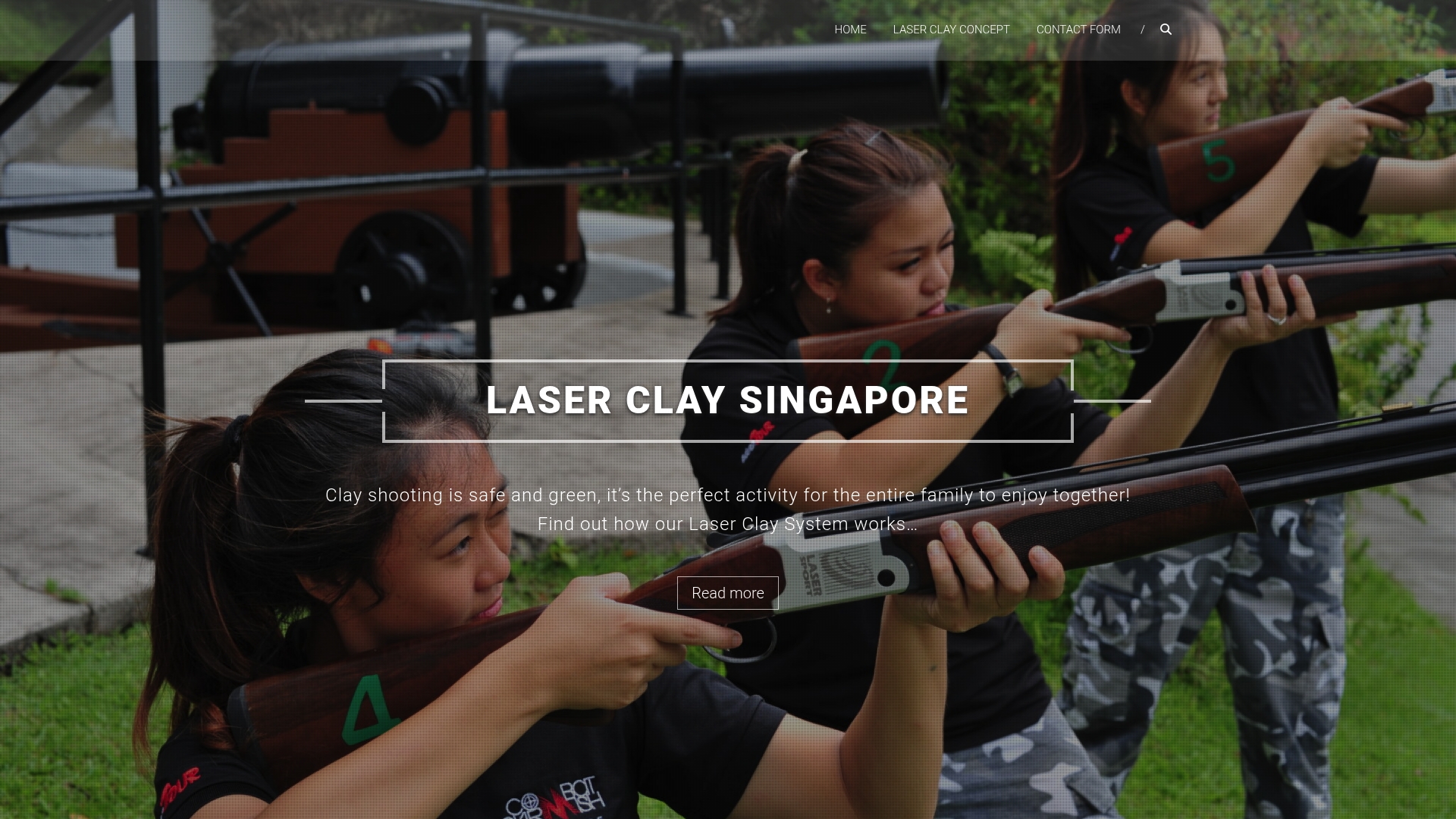
Packages typically include guns, targets, scoreboards, and sound systems, along with a facilitator who conducts muzzle alignment and run-test procedures before the session begins. This approach covers calibration, safety, and staffing requirements in one booking rather than multiple separate arrangements. Whether you’re planning a corporate team-building day, a school camp, or a carnival activity, the setup logistics are handled the same way each time. Get in touch to check availability and request a quote for your venue and date, and find out whether your space clears the minimum before you sign anything else.
Where to check the technical specifications yourself
For the indoor room dimensions and projector specifications referenced throughout this piece, DryFire’s setup guide covers wall width, shooter distance, and the Post-it alignment method in full. TrueClays’ room requirements page adds ceiling height guidance for short-throw projector setups. For safety and exclusion-zone standards, the Scouts’ activity guidance sets out the public liability and risk assessment expectations most UK-based organisers already recognise.
Sources
- DryFire: Clay & Game Shooting Simulators — setup guide
- Laser Clay Pigeon Shooting – Altitude Events
- Laser clay pigeon shooting | Activities
FAQ
What is the minimum outdoor space needed for laser clay shooting?
Most outdoor setups need a grass footprint somewhere between 40m × 20m and 70m × 30m, depending on launcher configuration and site shape.
Can laser clay shooting be set up indoors?
Yes. Indoor projection setups need a wall or screen 3 to 5 metres wide, shooters positioned around 2 to 2.5 metres back, and a ceiling height of roughly 2.4 to 3.0 metres for short-throw projectors.
What insurance should I ask a laser clay supplier for?
Request their public liability insurance certificate and a written risk assessment covering your specific venue before confirming a booking.
What’s the recommended minimum age for participants?
Some providers list eight years old as an absolute minimum, but 12 and above is the more practical recommendation, since gun weight and grip comfort are the real limiting factor.
How long does it take to set up and calibrate the equipment?
Set-up typically runs 45 to 90 minutes depending on site access, with calibration handled through a laser-target check first, then projection or launcher testing before any participants arrive.
Does laser clay shooting need mains electricity?
Guns generally run on battery power alone, but projectors and larger scoreboards usually need a mains supply or a high-capacity battery pack.